直升机区域
直升机
 查看大图
[center]
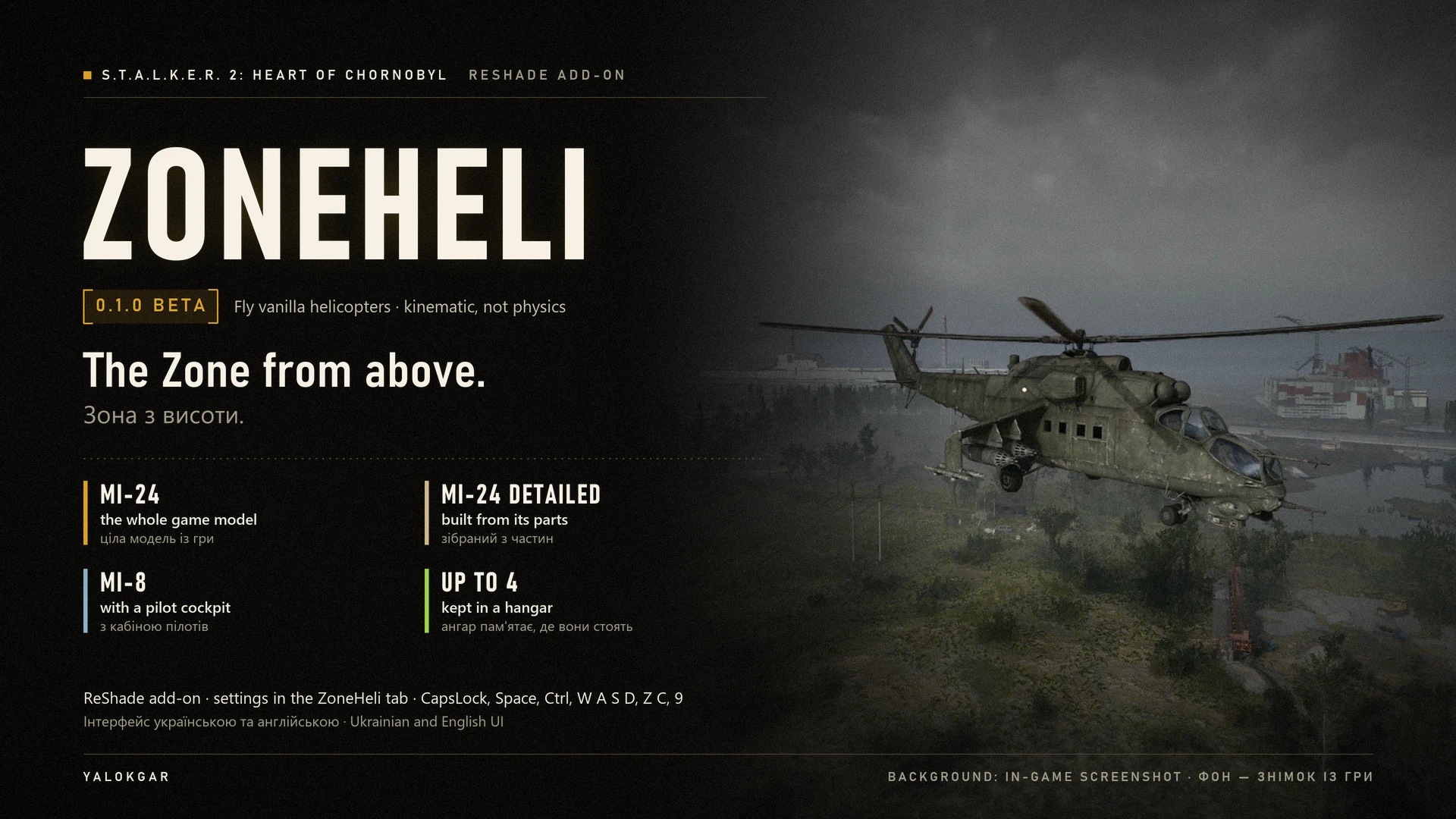
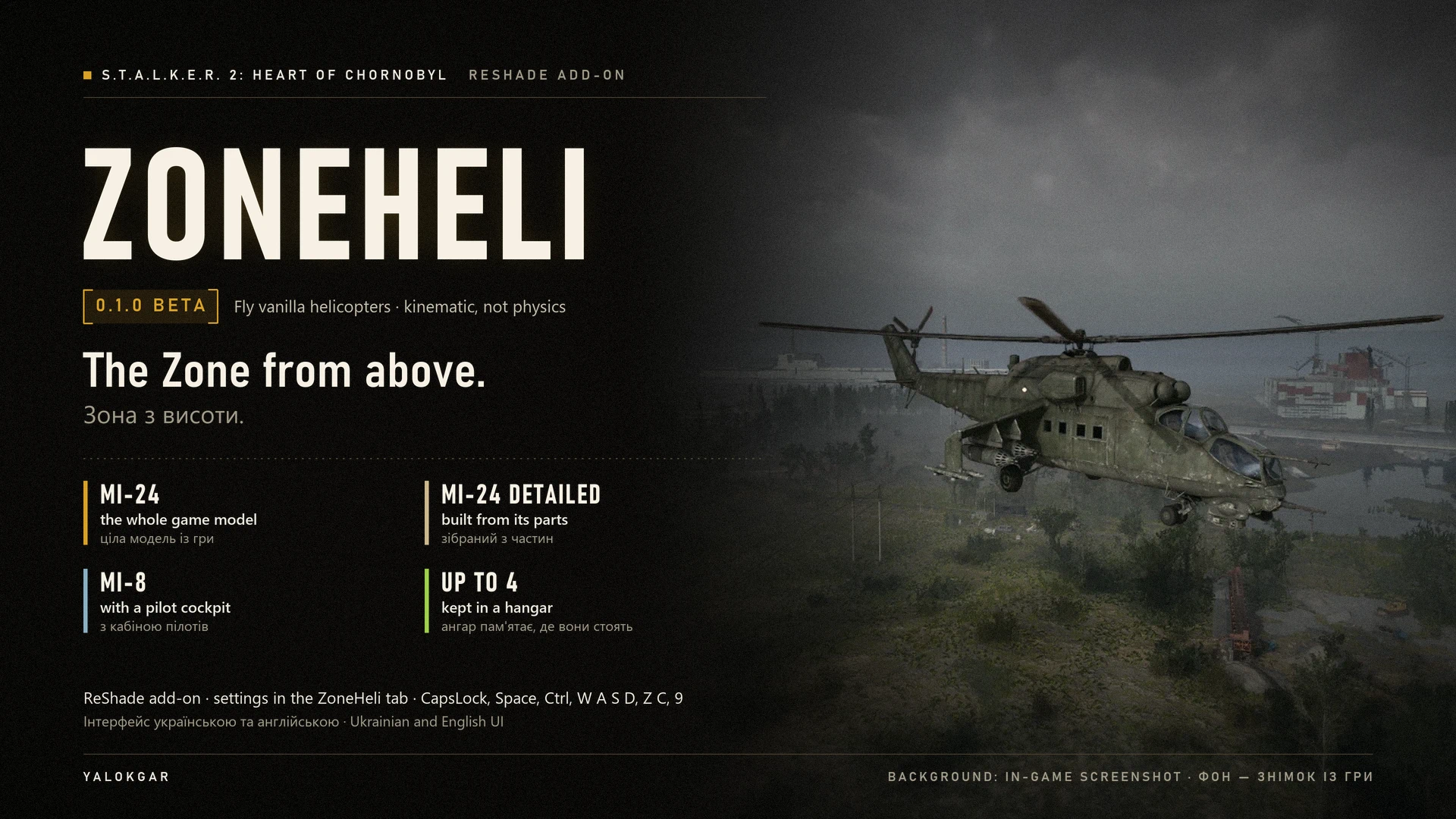
[size=6][color=#D9A227][b]ZONEHELI[/b][/color][/size]
[size=3][b]S.T.A.L.K.E.R. 2: Heart of Chornobyl[/b][/size]
[color=#D9A227][b]0.1.0 BETA[/b][/color]
[size=2]MI-24 / MI-8 / KINEMATIC FLIGHT / CHASE + COCKPIT VIEW / HANGAR / ENGLISH + UKRAINIAN / RESHADE ADD-ON[/size]
[size=4][b]The Zone looks different from seventy metres up.[/b][/size]
[/center]
In S.T.A.L.K.E.R. 2 you never get to fly the helicopters. ZoneHeli hands you the controls. It takes the game's own Mi-24 and Mi-8 models from your installation, sets one down on its landing gear about 30 m in front of you and then flies it itself, every frame. Walk up to a door and press [b]CapsLock[/b]. Hold [b]Space[/b]: the rotor spools up with the game's own helicopter sound, and a few seconds later the ground falls away. Skim the fields, climb for a look at the power plant on the horizon, then put it down on level ground, or on a flat roof, and press [b]CapsLock[/b] again to step out beside it. The helicopter stays where you landed, in a hangar that is kept across save loads and game restarts [i](the restore is not confirmed in game yet)[/i].
Three models, up to four in the world at once, a chase camera behind the tail and a view from the pilot seat. There are no PAK files and no UE4SS, and only two keys are added (CapsLock and 9): everything else lives in the [b]ZoneHeli[/b] tab of the ReShade overlay, in Ukrainian or English. ZoneHeli is a standalone add-on. It runs side by side with [b]ZoneRide[/b], the drivable UAZ, ZIL-131 and BTR-70 by the same author, and needs nothing from it.
[b]Needs:[/b] ReShade 6.8 or newer with full add-on support (not included) · Steam build of 18 September 2026 · manual install to Stalker2\Binaries\Win64.
[quote][color=#D9A227][b]Beta.[/b][/color] Tested in game by the author on 29 and 30 September 2026. Seen working: all three models placed on their landing gear; getting in and out with CapsLock; lift-off, hover, flight and touchdown in the Mi-8 and in the whole Mi-24 (a 1.1 km Mi-24 flight at up to 144 km/h and 74 m above the ground, ending on a building roof); the chase view and the cockpit view; the rotor sound; and the rescuer, which set the player down from 59 m after loading a save made in the air. Not confirmed yet: the weapon holster with a weapon in hand, Esc, F5 and F8 in the air, the hangar restore after a load or a restart, the map edge and the ceiling, the water and anomaly checks at landing, the refusals next to ZoneRide and a flight in the detailed Mi-24. The full list is under Beta status. Keep a separate manual save, never make your last save in the air, and attach heli.log to any report.[/quote]
[size=4][color=#D9A227][b]01 / WHAT FLYING FEELS LIKE[/b][/color][/size]
[b]An arcade helicopter, not a flight simulator.[/b] There is no rotor aerodynamics, no torque, no autorotation, no stall and no crashing. Every frame ZoneHeli reads your keys, moves the helicopter, sweeps its hull and its rotor disc along the path for anything solid, checks the ground under its three wheels and tilts the body for the look of it. Let go of everything and it simply hangs in the air.
[list]
[][b]Spooling up.[/b] Hold Space in the pilot seat. The engine starts, the rotor takes about four seconds to reach full speed, and at 90 % (about 3.6 s) the helicopter leaves the ground as long as you keep holding Space. You can let go while it spools up and press Space again when you are ready.[/]
[][b]Up and down.[/b] Space climbs at 8 m/s and Ctrl descends at 6 m/s. In the last 5 m above the ground the descent eases off to 0.8 m/s, so you settle onto the ground instead of dropping onto it.[/]
[][b]Hands off means hover.[/b] Release every key and the helicopter brakes to a stop in the air, holds its height and stops turning. It does the same while the ReShade overlay, a game menu, a dialog or a cutscene is open.[/]
[][b]Forward flight.[/b] W accelerates at 6 m/s², so 0 to 144 km/h takes about seven seconds, up to the top speed allowed at your height (section 07). S flies backwards and Z and C slide sideways, both at half speed. A and D turn at up to 60° per second.[/]
[][b]The look of it.[/b] The nose dips when you speed up (up to 15°), rises when you brake, and the body banks into turns and slides (up to 20°). The tilt is only for show: collision always uses the level helicopter.[/]
[][b]Obstacles.[/b] One box around the hull and one under the rotor disc check the way ahead. Walls, trees, rocks and buildings stop the helicopter or let it slide along them, with an [i]Obstacle![/i] hint. The blades themselves have no collision. Bushes are meant to be flown through [i](not confirmed in game yet)[/i].[/]
[][b]No taxiing.[/b] On the ground the helicopter does not roll or turn. Lift off to move it.[/]
[/list]
[size=4][color=#D9A227][b]02 / THE HELICOPTERS[/b][/color][/size]
All three are the game's own helicopter models, loaded from your installation, so they look the way the Zone left them: weathered, faded and worn. ZoneHeli makes them fly. It does not repaint them.
[list]
[][b]Mi-24 (whole)[/b], ini tag [i]mi24[/i]. The gunship as the game's own blueprint, with the landing gear of the detailed set attached so it stands on its wheels instead of its belly. Main rotor 23.4 m across, five blades. Flown 1.1 km in the test.[/]
[][b]Mi-24 (detailed)[/b], [i]mi24x[/i]. The same gunship built from 21 parts, with its own canopy and troop-compartment doors. Placed in game, not flown yet.[/]
[][b]Mi-8[/b], [i]mi8[/i]. The transport, built from 16 parts, with the passenger cabin, the cockpit and the rear clamshell doors. Main rotor 28.6 m across, leaning 3° forward like the real one. Flown 0.9 km in the pre-release test.[/]
[/list]
The wheel, door and seat positions come from the model data; several are careful estimates (marked [i][estimated][/i] in heli.log). If the view sits in the wrong place or a wheel floats, the seat buttons and heli.ini fix it without waiting for an update (section 10).
[size=4][color=#D9A227][b]03 / CONTROLS[/b][/color][/size]
[code]
Key What it does
-------------- -------------------------------------------------------------
CapsLock Get in / get out. Stand within 4 m of a door; the nearest
helicopter wins. Getting out works only after landing.
Space (hold) Start the engine and spool up the rotor; lift off; climb.
Ctrl Descend.
W / S Fly forward / backward (backward at half speed).
A / D Turn left / right.
Z / C Slide left / right (half speed).
9 Switch between the chase view and the cockpit view.
Mouse Chase view: orbit the camera. Cockpit view: look around.
Mouse wheel Chase view: camera distance, 8-80 m.
Esc F5 F8 F9 Passed on to the game in the chase view (pause menu,
quick save, quick load; F9 for a binding of your own).
Home ReShade overlay with the ZoneHeli tab (ReShade's default).[/code]
[list]
[]To change the get in/out key or the view key, click its button on the page and press the new key (click again or press Esc to cancel). Letters, digits, the numpad, arrows, Enter, Backspace and punctuation keys work, also with Ctrl, Alt or Shift. Not accepted: the flight keys, G, N, Esc, Insert, Home, End, Delete, Page Up, Page Down, Print Screen, the backtick and F1 to F12. A key the game uses is accepted with a warning.[/]
[]CapsLock also works while you hold Shift or Ctrl, but not with Alt. It is still your keyboard's Caps Lock, so each press also switches Caps Lock in Windows; pick another key if that gets in the way.[/]
[]The keys passed on in the chase view are set in heli.ini ([i]pass_keys[/i]).[/]
[]While the ReShade overlay is open, the flight keys are ignored and the helicopter hovers. While a game menu (inventory, PDA, map), a dialog, a cutscene or the pause menu is open, the flight is held and it hovers in place. Alt-Tab releases the game's input and the helicopter hovers until you come back.[/]
[/list]
[size=4][color=#D9A227][b]04 / CHASE VIEW AND COCKPIT VIEW[/b][/color][/size]
[color=#9FD14A][b]THE CHASE VIEW[/b][/color] (default)
[list]
[]A camera 28 m behind the helicopter and a little above it. The mouse orbits it around the helicopter, the wheel brings it closer or further (8-80 m, remembered), and when you fly faster than 18 km/h and leave the mouse alone for 2 s, it swings back behind the tail. When something stands between the camera and the helicopter, the camera moves in closer.[/]
[]Your character is hidden in this view ([b]Hide the pilot in the chase view[/b] on the page).[/]
[][b]The input rule:[/b] in the chase view the game receives no keys and no mouse at all, except [b]Esc[/b], [b]F5[/b], [b]F8[/b] and [b]F9[/b], which ZoneHeli passes on. So Ctrl does not crouch, the wheel does not switch weapons and Z/C do not lean. Other ReShade add-ons still read their own keys.[/]
[/list]
[color=#9FD14A][b]THE COCKPIT VIEW[/b][/color] (key 9)
[list]
[]Your character's own first-person camera in the pilot seat, with the game's own mouse look, turning with the helicopter's heading. The seat is adjustable per model (section 06).[/]
[][b]The input rule:[/b] in the cockpit view nothing is blocked, so the keys also reach the game: Ctrl crouches, Z and C lean, the wheel switches weapons and the quick slots use items. [i]cockpit_block=1[/i] in heli.ini blocks the game's input here too.[/]
[]The Mi-8 has its full cockpit and cabin; in the whole Mi-24 you see the instrument panel and the stick. The cockpit view of the detailed Mi-24 has not been tried yet.[/]
[/list]
Getting in uses the view you had last time.
[size=4][color=#D9A227][b]05 / FEATURES[/b][/color][/size]
[list]
[][b]Three helicopters, up to 4 at once,[/b] each on its three wheels. The page lists them with their distance and a Remove button; CapsLock seats you in the one whose door is nearest.[/]
[][b]Arcade flight with auto-hover,[/b] a visual nose-down and bank, a [b]speed limit by height[/b] and a [b]ceiling[/b] (section 07).[/]
[][b]Two views:[/b] a chase camera with mouse orbit and zoom, and the view from the pilot seat.[/]
[][b]Spinning rotors[/b] (main 700°/s, tail 1050°/s). The step per frame is capped, so the blades should never seem to stand still or turn backwards at a low frame rate.[/]
[][b]Real landings and safe exits:[/b] touchdown on three wheels on ground up to 12°, flat roofs included; you get out only on dry, level ground away from anomalies (section 08).[/]
[][b]A rescuer[/b] that sets you down on the ground when you are taken out in the air or load a save made in the air.[/]
[][b]A hangar[/b] that puts every helicopter back where it last landed [i](the restore is not confirmed in game yet)[/i].[/]
[][b]The weapon is put away[/b] when you get in and brought back when you get out [i](not confirmed in game yet with a weapon in hand)[/i].[/]
[][b]Rotor sound[/b] from the game's own helicopter sounds: a rotor start and a loop that follows the rotor and flight speed. On/off switch and volume on the page.[/]
[][b]An adjustable seat[/b] per model, in 5 cm steps, and [b]fine tuning[/b] per model in heli.ini.[/]
[][b]Checks before it acts:[/b] 40 required and 39 optional game functions are verified at start. A missing optional one turns off only its own feature; a missing required one keeps flying off, and the tab says why.[/]
[][b]A flight log:[/b] every flight ends with a one-line summary in heli.log (time, distance, top speed, highest point, time under the speed limit, obstacles, late objects, hitches).[/]
[][b]Ukrainian and English,[/b] and a light footprint: no PAK files, no UE4SS, no changes to game files or saves. Every game call runs on the game thread.[/]
[/list]
[size=4][color=#D9A227][b]06 / HOW TO USE[/b][/color][/size]
[color=#D9A227][b]01[/b][/color] Load a save in the open world and press [b]Home[/b] (ReShade's default overlay key). Open the [b]ZoneHeli[/b] tab.
[color=#D9A227][b]02[/b][/color] The tab starts in Ukrainian. Under [b]Налаштування[/b] (Settings), in the row [b]Мова[/b] (Language), pick [b]English[/b].
[color=#D9A227][b]03[/b][/color] The status line should read [i]No helicopters yet. Pick a model and press "Place nearby".[/i] In the main menu and while loading, it says [i]Waiting for the world…[/i], which is normal.
[color=#D9A227][b]04[/b][/color] In the [b]Helicopter[/b] row pick [i]Mi-24 (whole)[/i], [i]Mi-24 (detailed)[/i] or [i]Mi-8[/i].
[color=#D9A227][b]05[/b][/color] Face a wide, open, fairly level spot and press [b]Place nearby[/b]. The helicopter appears about 30 m ahead (up to 35 m), nose pointing where you look. It needs ground no steeper than 12°, no water, and room for the hull and the rotor disc (the rotor is 23 to 29 m across). If you see [i]No level ground ahead[/i] or [i]No room for the helicopter here[/i], turn towards open ground or walk into a field and try again.
[color=#D9A227][b]06[/b][/color] Close the overlay, walk up to a door (within 4 m) and press [b]CapsLock[/b]. The camera moves behind and above the helicopter, the hint says [i]You are in the cockpit. Space to take off, CAPSLOCK to get out[/i], and your weapon is put away (the holster is not confirmed in game yet).
[color=#D9A227][b]07[/b][/color] Hold [b]Space[/b]. The rotor starts with its sound, and after about 3.6 s you lift off. Climb to 20-30 m before you speed up: close to the ground the top speed is 54 km/h.
[color=#D9A227][b]08[/b][/color] Fly with [b]W[/b], [b]S[/b], [b]A[/b], [b]D[/b], [b]Z[/b], [b]C[/b], [b]Space[/b] and [b]Ctrl[/b]. The mouse turns the camera, the wheel sets its distance and [b]9[/b] switches to the cockpit view. The status line in the tab shows your speed, height and heading.
[color=#D9A227][b]09[/b][/color] To land, find level, dry ground or a flat roof, slow down, let go of Space and hold [b]Ctrl[/b]. In the last 5 m the helicopter slows down and settles onto its three wheels. Wait for the [i]Landed[/i] hint: the final half metre takes a second or two.
[color=#D9A227][b]10[/b][/color] Press [b]CapsLock[/b]. You step out at a door and your weapon comes back (not confirmed in game yet). In this version the rotors then stop at once (see Known issues).
[color=#9FD14A][b]THE SEAT[/b][/color]
[list]
[]While you sit in a helicopter, open the overlay: a [b]Seat[/b] block appears with [b]Higher[/b], [b]Lower[/b], [b]Forward[/b], [b]Back[/b] and [b]Default[/b].[/]
[]Each click moves the seat by 5 cm at once. The position is kept for that model, so every Mi-8 uses your Mi-8 seat. It shows in the cockpit view. The seat buttons have not been tried in game yet.[/]
[/list]
[color=#9FD14A][b]REMOVING HELICOPTERS[/b][/color]
[list]
[]The list [b]Helicopters: N of 4[/b] shows every helicopter with its number, model and distance, each with a [b]Remove[/b] button. At 4, [b]Place nearby[/b] is greyed out.[/]
[][b]Remove all[/b] under the list first asks [i]Really remove all? Press again[/i]; a second click within 3 seconds removes them all. It is greyed out while you are seated.[/]
[]The helicopter you sit in cannot be removed in the air. On the ground, its Remove button first puts you outside at a door.[/]
[/list]
Settings apply at once and are saved to heli.ini about a second later.
[size=4][color=#D9A227][b]07 / SPEED BY HEIGHT AND THE CEILING[/b][/color][/size]
[b]Why the speed limit?[/b] S.T.A.L.K.E.R. 2 streams its world in around you as you move. On foot that is never a problem. At 160 km/h just above the treetops, the next trees, houses and their collision might still be loading when you get there: they would pop up right in front of you, or the ground check under the helicopter could come up empty. Higher up there is more open air around you, so more speed is safe. ZoneHeli therefore limits the speed by the height above the ground:
[code]
Height above the ground Top speed
--------------------------------- ---------------------
below 20 m 54 km/h (15 m/s)
40 m 90 km/h (25 m/s)
60 m 126 km/h (35 m/s)
80 m and higher 162 km/h (45 m/s)
unknown (ground not loaded yet) 90 km/h (25 m/s)[/code]
[list]
[]Between the bands the limit rises smoothly. When you descend into a lower band, the helicopter brakes down to it at 8 m/s².[/]
[]While the limit is below your top speed, the tab shows [i]Low above the ground: speed up to N km/h[/i].[/]
[][b]Max speed[/b] on the page (30-162 km/h) caps everything. The bands themselves are in heli.ini (section 10). Raise them only if heli.log shows no late objects ([i]stream: popin[/i]) and no ground misses at your speeds.[/]
[][b]The ceiling[/b] is 300 m above the ground by default (50-1000 m on the page). The climb fades out over the last 20 m and the hint says [i]Ceiling: 300 m above the ground[/i]. While the ground below cannot be seen yet, the helicopter does not climb at all; it can still descend.[/]
[][b]The map edge.[/b] A rectangle 200 m inside the edge of the map stops the helicopter with a [i]Map edge[/i] hint.[/]
[][b]In the test[/b] the limiter held the Mi-24 for 41 of its 89 seconds in the air, with no late objects and no ground misses. The ceiling and the map edge have not been reached in game yet.[/]
[/list]
[size=4][color=#D9A227][b]08 / LANDING, GETTING OUT AND THE RESCUER[/b][/color][/size]
[color=#9FD14A][b]LANDING[/b][/color]
[list]
[]The helicopter touches down when all three wheels are on the ground, it moves slower than about 11 km/h (3 m/s), you are not holding Space, and the ground is no steeper than 12°. In the last metres it settles its attitude onto the ground, so all three wheels meet the ground together, then the hint says [i]Landed[/i].[/]
[]Anything solid and level enough counts as ground, roofs included: a Mi-24 landed on a building roof in the test.[/]
[]On a steeper place or on water it does not land. It stops on the first wheel that touches (on the water surface, not under it) and says [i]Cannot land here: slope 14.2°[/i] or [i]Cannot land here: water[/i] [i](both not confirmed in game yet)[/i].[/]
[/list]
[color=#9FD14A][b]GETTING OUT[/b][/color]
[list]
[]CapsLock gets you out only when the helicopter has landed: all three wheels on the ground, no steeper than 12°, no water under it, no anomaly within about 3 m of the hull, and a free spot at one of the doors (left, right, left rear, right rear, then in front).[/]
[]In the air CapsLock only tells you the height: [i]Land first (height 23.4 m)[/i]. Over ground it cannot land on, it says [i]Too steep here (14.2°), land on level ground[/i] or [i]There is water under the helicopter[/i]; next to an anomaly, [i]An anomaly is nearby, land somewhere else[/i] [i](the water and anomaly checks are not confirmed in game yet)[/i].[/]
[]Every exit is checked on the next frame: your collision, movement, input and view must be back.[/]
[/list]
[color=#9FD14A][b]THE RESCUER[/b][/color]
[list]
[][b]Taken out in the air.[/b] If something takes you out of a flying helicopter (you untick Enabled, the game moves you, an error), the helicopter is set down under you when there is room, and you step out at a door. Otherwise you are set down on the ground below, never inside a hull, and the helicopter goes back to where it last landed. With no ground found for 30 s, you are moved back to where you got in [i](not confirmed in game yet)[/i].[/]
[][b]Loading a save made in the air.[/b] The game saves you in the air, but not the helicopter, so after the load you would fall. For 15 s after a load, counted only while the world is loaded and the game runs, ZoneHeli watches: if you fall from more than 8 m above the ground, you are set down on the ground at once, unharmed, and the hint says [i]You were set down on the ground[/i]. In the test it caught the player 59 m above the ground. [i]rescue=0[/i] in heli.ini turns it off.[/]
[][b]A quick load in the air (F8).[/b] You are taken out and the helicopter goes back to where it last landed [i](not confirmed in game yet)[/i].[/]
[/list]
[size=4][color=#D9A227][b]09 / THE HANGAR[/b][/color][/size]
[list]
[]Every helicopter is kept in [b]%LOCALAPPDATA%\ZoneHeli\hangar.json[/b] with the place where it last landed. After a save load or a game restart it comes back there, rotors still, once the world has loaded, and the hint says [i]Helicopters restored: N[/i]. One helicopter comes back per second. You are never put in the pilot seat automatically [i](the restore is not confirmed in game yet; saving the hangar was seen working)[/i].[/]
[]Only landed places are saved: when you place a helicopter, when it touches down and when you get out. A helicopter that was in the air when the save was made, or when the game closed, comes back where it last landed.[/]
[]If you stand exactly where a helicopter belongs, it waits until you step away ([i]waiting for you to step away[/i] in the list).[/]
[]The hangar is shared by all saves (the page says so under the list). A helicopter placed in one save appears in every save, and loading an older save does not move it back.[/]
[/list]
[size=4][color=#D9A227][b]10 / SETTINGS[/b][/color][/size]
Everything is in the ZoneHeli tab and in [b]%LOCALAPPDATA%\ZoneHeli\heli.ini[/b]. Edit heli.ini only while the game is closed; it is read at start. At every start the file is rewritten cleanly: out-of-range values are pulled back into range, and an unknown language becomes uk.
[color=#D9A227][b]IN THE ZONEHELI TAB[/b][/color]
[code]
heli.ini key Default Range In the tab
------------- -------- ---------------- --------------------------------
enabled 1 0 / 1 Enabled
max_speed_kmh 162 30-216 km/h * Max speed, km/h
climb 8 2-15 m/s Climb rate, m/s
yaw_rate 60 20-120 °/s Turn rate, °/s
ceiling_m 300 50-1000 m Ceiling above the ground, m
mouse 1 0.2-5.0 Mouse sensitivity
invert_y 0 0 / 1 Invert mouse Y
enter_key CAPSLOCK one key ** Get in/out key
view_key 9 one key ** View key
hide_pilot 1 0 / 1 Hide the pilot in the chase view
sound 1 0 / 1 Rotor sound
sound_volume 80 0-100 % Rotor volume, %
language uk uk / en Мова (Language)
toasts 1 0 / 1 On-screen hints
log_level 1 0-2 Log detail
heli mi24 mi24, mi24x, mi8 Helicopter (picker)
view chase chase / cockpit Switch view button, key 9
chase_m 28 8-80 m mouse wheel in the chase view
* The slider stops at limit_high_speed x 3.6 (162 km/h by default).
** For example CAPSLOCK, 0 or CTRL+K; see Controls. The two keys must differ.[/code][list]
[][b]Enabled[/b]: turned off while seated, it takes you out first; in the air the rescuer sets you and the helicopter down (section 08). The hangar is kept.[/]
[][b]Max speed[/b], [b]Climb rate[/b], [b]Turn rate[/b] and [b]Ceiling[/b] apply at once, also in the air. [b]Mouse sensitivity[/b] and [b]Invert mouse Y[/b] are for the chase camera.[/]
[][b]Log detail[/b]: 0 logs errors, refusals and state changes only; 1 adds one flight line per second and the flight summaries; 2 logs everything.[/]
[/list]
[color=#D9A227][b]HELI.INI ONLY[/b][/color]
[code]
Key Default Range / what it does
------------------- --------------- ------------------------------------------
sink 6 2-12 m/s, descent speed
accel 6 2-12 m/s², how fast it picks up speed
limit_low_m 20 speed bands of section 07 *
limit_low_speed 15 5-60 m/s
limit_high_m 80 *
limit_high_speed 45 5-60 m/s
limit_unknown_speed 25 5-60 m/s, while the ground is not loaded
chase_pitch -12 -80..20 °, camera angle (above and behind)
recenter_s 2 0-30 s before the camera swings back, 0 = off
cockpit_block 0 1 = block the game's input in the cockpit view
start_sound 1 0 = skip the long rotor start
rescue 1 0 = no post-load rescuer
pass_keys ESCAPE,F5,F8,F9 up to 8 key names, passed in the chase view
blueprint 1 0 = whole Mi-24 from 4 parts, not the blueprint
rotor_speed 700 100-1500 °/s, main rotor
tail_speed 1050 100-2500 °/s, tail rotor
strobe 0.4 0.1-0.49, largest blade step per frame
spool_s 4 1-20 s to full rotor speed (wind-down x 1.5)
bounds_cm 20000,20000,792800,792800 map-edge rectangle, cm
menu_hold 1 see Known issues
look_carry 1 leave at 1
freeze_movement 1 leave at 1
legs_ik_off 1 leave at 1
* 0 < limit_low_m < limit_high_m <= 1000 and limit_low_speed <= limit_high_speed,
otherwise all four go back to their defaults. 15 m/s = 54 km/h, 45 m/s = 162 km/h.[/code][list]
[][b]cockpit_block=1[/b] stops Ctrl, Z, C and the wheel from reaching the game in the cockpit view; ZoneHeli then turns your view with the mouse.[/]
[][b]pass_keys[/b]: remove a key if another add-on bound to it sees each press twice.[/]
[*][b]strobe[/b]: lower it (for example 0.3
у heli.log і блок [b]«Діагностика»[/b] показують значення, що діють зараз.[/]
[/list][/spoiler]
[size=4][color=#D9A227][b]11 / ВИМОГИ[/b][/color][/size]
[list]
[]S.T.A.L.K.E.R. 2: Heart of Chornobyl для Windows, Steam-версія. Зроблено й перевірено на Steam-збірці 25382007 (виконуваний файл гри від 18 вересня 2026, sha256 61BC1E03…). На іншій збірці ZoneHeli під час запуску перевіряє кожну потрібну йому функцію гри, і якщо бракує обов'язкової, лишається вимкненим, а вкладка пояснює чому.[/]
[][b]ReShade 6.8 або новіший із повною підтримкою аддонів[/b] з [url=https://reshade.me/]reshade.me[/url] (завантаження «with full add-on support», а не звичайне). Перевірено з ReShade 6.8.0 (6.8.0.2155). ReShade не входить до архіву. ZoneHeli зібрано під API аддонів ReShade 6.8, тож старіші версії його не завантажать. Свою версію видно в першому рядку ReShade.log у теці Stalker2\Binaries\Win64\.[/]
[]UE4SS і Simple Mod Loader не потрібні. ZoneRide теж не потрібен.[/]
[]Не підтримується: версія Game Pass / Microsoft Store (ZoneHeli завантажується лише в Stalker2-Win64-Shipping.exe). Версію GOG не перевіряли.[/]
[/list]
[size=4][color=#D9A227][b]12 / ВСТАНОВЛЕННЯ, ОНОВЛЕННЯ Й ВИДАЛЕННЯ[/b][/color][/size]
[b]Лише ручне встановлення.[/b] Встановлення через Vortex чи інший менеджер модів не перевіряли, тож встановіть мод вручну, як описано нижче.
[color=#D9A227][b]01[/b][/color] Встановіть для гри ReShade із повною підтримкою аддонів: оберіть Stalker2-Win64-Shipping.exe у Stalker2\Binaries\Win64 і DirectX 10/11/12.
[color=#D9A227][b]02[/b][/color] Повністю закрийте гру.
[color=#D9A227][b]03[/b][/color] Скопіюйте [b]ZoneHeli.addon64[/b] з архіву до [b]Stalker2\Binaries\Win64\[/b], поруч із [b]Stalker2-Win64-Shipping.exe[/b] і dxgi.dll від ReShade. Можна й розпакувати весь архів у теку гри (ту, в якій лежить тека Stalker2): архів повторює цю структуру, а в його теці ZoneHeli лише документи. Тримайте лише одну копію ZoneHeli.addon64.
[color=#D9A227][b]04[/b][/color] Запустіть гру, завантажте збереження, натисніть Home і відкрийте вкладку ZoneHeli.
[b]Оновлення:[/b] закрийте гру й замініть ZoneHeli.addon64. Ваші heli.ini і hangar.json зберігаються.
[b]Дані мода[/b] лежать у [b]%LOCALAPPDATA%\ZoneHeli\[/b]:
[list]
[]heli.ini — налаштування.[/]
[]hangar.json — ваші гелікоптери. Перш ніж записати щось нове, аддон зберігає пошкоджений файл як hangar.json.bad, а файл із записами, які не вдалося прочитати, — як hangar.json.bak.[/]
[]heli.log — журнал. Коли він розростається, попередній переїжджає в heli.1.log.[/]
[/list]ZoneHeli нічого не пише в теку гри й ніколи не чіпає ваших збережень чи файлів ZoneRide.
[b]Видалення:[/b] приземліться, вийдіть і зробіть останнє збереження, стоячи на землі. Тоді закрийте гру й видаліть ZoneHeli.addon64. Якщо хочете прибрати ще й налаштування, ангар і журнали, видаліть %LOCALAPPDATA%\ZoneHeli\. Збереження чистити не треба: гелікоптери живуть лише в hangar.json, і аддон сам ставить їх після кожного завантаження, тож без нього вони просто не з'являться. Збереження, зроблене в повітрі, лишає вас у повітрі, і без ZoneHeli після такого завантаження вас ніхто не підхопить.
[size=4][color=#D9A227][b]13 / СУМІСНІСТЬ І ОБМЕЖЕННЯ[/b][/color][/size]
[b]Сумісність[/b]
[list]
[][b]ZoneRide[/b] (УАЗ-469, ЗІЛ-131 і БТР-70, якими можна керувати, від того самого автора): задуманий для роботи поруч, і в тестовій сесії обидва аддони завантажувалися разом. Кожен має власну вкладку ReShade, власну теку даних (%LOCALAPPDATA%\ZoneHeli і %LOCALAPPDATA%\ZoneRide) і власні клавіші: ZoneHeli використовує CapsLock і 9 і ніколи не приймає G чи F1 від ZoneRide. Жоден не посадить вас, поки ви сидите в іншому: у машині ZoneRide CapsLock каже [i]Гравець уже в машині чи до чогось прикріплений[/i] (або [i]Рух гравця зараз тримає інший мод[/i]), а G від ZoneRide теж відмовляє, поки ви сидите в гелікоптері. Для машин ZoneRide гелікоптер, що стоїть, — тверда перешкода, а машина ZoneRide — тверда перешкода для гелікоптера [i](відмови й взаємну колізію в грі ще не підтверджено)[/i].[/]
[][b]Інші аддони ReShade:[/b] у тесті автора ZoneHeli завантажувався поруч із кількома іншими аддонами, але поєднання систематично не перевіряли. Передана клавіша (Esc, F5, F8, F9) доходить до іншого аддона з тією самою клавішею двічі; якщо це важливо, приберіть її з pass_keys.[/]
[][b]Ноукліп, політ і вільна камера:[/b] ZoneHeli не посадить вас у кабіну, поки ввімкнено ноукліп чи політ або камера не на вашому персонажі, і висадить вас, якщо ноукліп увімкнеться в польоті.[/]
[][b]PAK- і cfg-моди:[/b] ZoneHeli не постачає PAK-файлів і не змінює конфігурації гри, тож файлових конфліктів немає. Моди, що замінюють моделі гелікоптерів чи їхні звуки, змінять те, що ви бачите й чуєте (не перевіряли).[/]
[][b]Наявні збереження:[/b] ZoneHeli можна додати чи прибрати будь-коли посеред проходження. Він ніколи не редагує файлів збережень.[/]
[/list]
[b]Чим він не є — навмисно[/b]
[list]
[][b]Кінематика, а не фізика.[/b] Немає аеродинаміки, авторотації, звалювання, аварій, пошкоджень, пального, зброї й фар, а двері не відчиняються. Гелікоптер не можна пошкодити чи збити: це модель, яку пересуває ZoneHeli.[/]
[][b]Лише пілот.[/b] Немає пасажирів, екіпажу й анімації сидіння.[/]
[][b]NPC і мутантів гелікоптер не зачіпає.[/b] Він пролітає просто крізь них, ніхто не постраждає.[/]
[][b]Поки ви в гелікоптері, колізію вашого персонажа вимкнено,[/b] а після виходу вона повертається. Чи можуть вороги влучити у вас, поки ви в кріслі, не перевіряли.[/]
[][b]Лише відкритий світ.[/b] Ставити гелікоптери й сідати в них можна на мапі відкритого світу. Гелікоптери з ангара чекають там, доки ви повернетеся.[/]
[][b]Ванільні моделі як є:[/b] потерті, без вибору розфарбування.[/]
[][b]Повернуті гелікоптери стають точно туди, де стояли,[/b] без нової перевірки землі. Якщо на тому місці тепер стоїть щось нове, вони можуть із ним перетнутися.[/]
[][b]Нахил — лише для вигляду.[/b] У виді з кабіни погляд повертається за курсом, але не нахиляється разом із корпусом.[/]
[][b]Зброя, яку ви дістали у виді з кабіни, лишається в руках;[/b] коліщатко миші там доходить до гри.[/]
[][b]Рятувальник після завантаження не відрізняє падіння від стрибка:[/b] протягом 15 с після завантаження стрибок із висоти понад 8 м теж підхоплюється.[/]
[/list]
[b]Відомі проблеми[/b]
[list]
[][b]Після виходу гвинти зупиняються одразу.[/b] Вони мали б зупинятися поступово, але в 0.1.0 завмирають тієї ж миті, як ви виходите, а гул гвинта звучить далі, доки ви не приберете цей гелікоптер, не сядете в нього знову (тоді гул стихає приблизно за 6 с) або не завантажите збереження. Якщо зняти «Звук гвинтів» уже після виходу, гул не замовкне. Якщо сісти знову й одразу втримувати Пробіл, гелікоптер злетить без розкручування гвинта.[/]
[][b]Курсор миші утримує політ.[/b] ZoneHeli сприймає видимий курсор миші як відкрите меню гри. Якщо якась програма показує курсор поверх гри в польоті (у тесті — під час знімків екрана), гелікоптер на мить перестає слухатися клавіш і зависає, зазвичай менше ніж на секунду; heli.log тоді пише [i]input: flight held (menu)[/i]. [i]menu_hold=0[/i] вимикає цю перевірку, але тоді вид ззаду блокує ввід гри навіть у справжньому меню гри. Тож ставте його, лише якщо курсор на екрані постійно, і літайте тоді з виду з кабіни.[/]
[][b]Підказка під цілим Мі-24.[/b] Вкладка каже, що в цілого Мі-24 немає кабіни всередині, і радить вид ззаду. У тесті його вид з кабіни все ж показав приладову панель і ручку керування, тож вид з кабіни підходить і для нього.[/]
[][b]CapsLock ще й перемикає Caps Lock[/b] у Windows. Якщо це заважає, оберіть іншу клавішу.[/]
[][b]Останні півметра.[/b] Над самою землею спуск повільний, і посадка займає секунду-дві. Якщо натиснути CapsLock до підказки [i]Посадка[/i], буде [i]Спершу сядьте на землю (висота 0.2 м)[/i].[/]
[][b]Оцінені положення.[/b] Сидіння й задні двері — оцінки. Якщо вид з кабіни не на місці, скористайтеся кнопками сидіння; якщо задні двері не спрацьовують, підійдіть до передніх або підлаштуйте [i]rear_МОДЕЛЬ[/i].[/]
[][b]Встановлення й повернення.[/b] Створення гелікоптера займає один кадр тривалістю приблизно 10–20 мс.[/]
[/list]
[size=4][color=#D9A227][b]14 / СТАТУС БЕТА[/b][/color][/size]
Автор перевіряв ZoneHeli у грі 29 і 30 вересня 2026 (Steam-збірка 25382007, ReShade 6.8.0), результати звірено з heli.log.
[b]Підтверджено в грі саме з цією збіркою 0.1.0 (30 вересня)[/b]
[list]
[]Мі-8 і цілий Мі-24 стали на шасі. «Поставити поруч» відмовило там, де бракувало місця, і над водою.[/]
[]Посадка клавішею CapsLock і вихід біля дверей. Кожен вихід пройшов перевірку: колізія, рух, ввід і камера повернулися, а гравець стояв поруч із гелікоптером.[/]
[]Мі-8: запуск двигуна, зліт, зависання й приземлення. Цілий Мі-24: зліт, підйом, політ на 1,1 км за 89 с на швидкості до 144 км/год і до 74 м над землею, з обмеженням швидкості, що діяло 41 с, і приземлення на рівний дах будівлі, без запізнілих об'єктів і пропусків землі.[/]
[]Вид ззаду; ввід гри блокувався у виді ззаду й відпускався після Alt-Tab і після виходу.[/]
[]Вид з кабіни цілого Мі-24, коли гелікоптер стояв на даху.[/]
[]Звук запуску гвинта й гул гвинта, який тримався весь політ без перезапусків.[/]
[]Прибирання гелікоптера його кнопкою «Прибрати».[/]
[]Рятувальник: після завантаження збереження, зробленого в повітрі, гравця поставило на землю з 59 м.[/]
[]ZoneHeli завантажився разом із ZoneRide; на збірці від 18 вересня знайдено 40 із 40 обов'язкових і 39 із 39 додаткових функцій гри.[/]
[/list]
[b]Підтверджено в грі з попередньою збіркою (29 вересня)[/b]
[list]
[]Усі три моделі на шасі, три гелікоптери одночасно: цілий Мі-24, детальний Мі-24 (21 деталь) і Мі-8 (16 деталей).[/]
[]Політ Мі-8 на 0,9 км зі швидкістю до 112 км/год і до 62 м над землею з обмеженням швидкості, ковзання вздовж перешкод, вид з кабіни в польоті й повернення до виду ззаду, відмова вийти на висоті 59 м, приземлення й вихід.[/]
[]Остаточна збірка 0.1.0 виправила те, що показав цей тест: довге зависання над самою землею перед посадкою й гул гвинта, який перезапускався кожні кілька секунд.[/]
[/list]
[b]Ще не підтверджено в грі[/b]
[list]
[]Ховання зброї. Досі всі посадки були з порожніми руками, тож сховати зброю й повернути її в руки ще не пробували.[/]
[]Esc, F5 і F8, передані грі в повітрі, і швидке завантаження під час польоту.[/]
[]Повернення з ангара після завантаження збереження чи перезапуску гри (запис ангара бачили).[/]
[]Край мапи й стеля.[/]
[]Відмови сідати на воду й на схили, крутіші за 12°, перевірки води й аномалій під час виходу.[/]
[]Висадка в повітрі (наприклад, якщо зняти «Увімкнено») і посадка гелікоптера під вами.[/]
[]Відмови й колізія між ZoneHeli і ZoneRide.[/]
[]Детальний Мі-24 у польоті, його дверцята й вид з кабіни; посадка біля задніх дверей; кнопки сидіння.[/]
[]Проліт крізь кущі, обертання камери ззаду мишею й відстань коліщатком, вигляд лопатей за низької частоти кадрів.[/]
[]Довгі сесії, інші збірки гри й магазини, інші версії ReShade. Вплив на FPS не вимірювали; у записаних польотах власна робота ZoneHeli займала здебільшого 0,2–0,4 мс часу ігрового потоку на кадр.[/]
[/list]
[b]Офлайн:[/b] 15 наборів автоматичних тестів із 5 042 перевірками проходять: модель польоту й обмеження швидкості, приземлення, виходи, рятувальник, камера й правило блокування вводу, клавіші, моделі, файл ангара, звук, налаштування й тексти.
[size=4][color=#D9A227][b]15 / ЧАСТІ ПИТАННЯ[/b][/color][/size]
[list]
[][b]Це справжня фізика польоту? Можна розбитися?[/b] Ні. ZoneHeli сам пересуває гелікоптер; перешкоди лише зупиняють його, і ніщо його не пошкоджує й не збиває. Див. «Як літається».[/]
[][b]Є зброя?[/b] Ні. Ракети й кулемети на Мі-24 — лише частина моделі.[/]
[][b]Можна полетіти на будь-якому іншому гелікоптері в грі?[/b] Ні. ZoneHeli керує лише гелікоптерами, які поставив сам. [b]«Поставити поруч»[/b] завжди створює новий.[/]
[][b]Чому біля землі так повільно?[/b] Щоб світ устигав довантажуватися попереду. Підніміться вище 80 м, щоб отримати повні 162 км/год; див. розділ 07.[/]
[][b]Що буде, якщо зберегтися в повітрі?[/b] Після завантаження такого збереження рятувальник поставить вас на землю; гелікоптер чекатиме там, де востаннє сідав. Краще сідайте, перш ніж зберігатися.[/]
[][b]Чому мій Мі-24 з'являється в іншому збереженні?[/b] Ангар спільний для всіх збережень. Приберіть у вкладці гелікоптери, яких там не хочете.[/]
[][b]Можна покликати гелікоптер до себе?[/b] У цій версії — ні. Дійдіть до нього або приберіть його й поставте новий.[/]
[][b]Як перемкнути вкладку на англійську?[/b] Типово вона українською. Виберіть English у рядку «Мова» або поставте language=en у heli.ini. Якщо вкладка англійською, хоча вибрано українську, ZoneHeli не знайшов у Windows шрифту з кирилицею.[/]
[][b]Чи працює на Game Pass?[/b] Ні, див. «Вимоги». Версію GOG не перевіряли.[/]
[/list]
[size=4][color=#D9A227][b]16 / ДІАГНОСТИКА Й ЗВІТИ ПРО ПОМИЛКИ[/b][/color][/size]
[b]Типові проблеми[/b]
[list]
[][b]Немає вкладки ZoneHeli.[/b] Перевірте, що у вас ReShade «with full add-on support» версії 6.8 або новішої і що ZoneHeli.addon64 лежить у Stalker2\Binaries\Win64 поруч зі Stalker2-Win64-Shipping.exe (лише одна копія). ReShade.log у цій теці має показувати [i]Registered add-on "ZoneHeli" v0.1.0.0 using ReShade API version 20[/i].[/]
[][b]«Очікування світу…».[/b] Завантажте збереження у відкритому світі. Вкладка стає готовою за кілька секунд після того, як світ довантажився.[/]
[][b]«Гра не надала потрібну функцію» / «Недоступно на цій версії гри».[/b] Ваша збірка гри відрізняється від підтримуваної. Надішліть heli.log.[/]
[][b]«Поставити поруч» відмовляє.[/b] [i]Попереду немає рівної землі[/i] і [i]Тут немає місця для гелікоптера[/i] означають, що треба повернутися до рівнішого й відкритішого місця: диску гвинта потрібно 23–29 м. [i]Уже 4 гелікоптери — спершу приберіть якийсь[/i] означає, що ангар повний.[/]
[][b]CapsLock не саджає.[/b] Підказка пояснює чому: [i]Підійдіть ближче до дверей (N м)[/i], [i]Вимкніть ноукліп або політ[/i], [i]Гелікоптер не стоїть на землі[/i], [i]Спершу зійдіть з гелікоптера[/i], [i]Гравець уже в машині чи до чогось прикріплений[/i], [i]Камера не на гравці (дрон чи інший мод?)[/i] тощо.[/]
[][b]Гелікоптер не сідає.[/b] Відпустіть Пробіл, пригальмуйте до швидкості, меншої за 11 км/год, і шукайте рівну суху землю. [i]Тут не сісти[/i] називає схил або воду.[/]
[][b]Гелікоптер не набирає висоту.[/b] Або ви досягли стелі, або земля внизу ще не довантажилася; зачекайте мить чи трохи знизьтеся.[/]
[][b]F5, F8 чи Esc у польоті нічого не роблять.[/b] Надішліть рядки [i]input: pass[/i] з heli.log. Тим часом перемкніться клавішею 9 на вид з кабіни, де гра отримує всі клавіші.[/]
[][b]Клавіша залипла після виходу.[/b] Натисніть її один раз і надішліть рядок [i]input: game input released[/i].[/]
[][b]Червоний рядок «Ще відновлюємо стан гравця після виходу (див. діагностику)».[/b] ZoneHeli повторює спроби, доки рух, колізія, ввід і камера не повернуться. Якщо рядок не зникає, надішліть журнал.[/]
[][b]Вид з кабіни не на місці.[/b] Кнопки сидіння, поки ви в кріслі, або seat_МОДЕЛЬ у heli.ini. Надішліть також рядок [i]seat: eye[/i] і знімок екрана.[/]
[][b]Гелікоптер висить над землею чи провалюється в неї.[/b] Підправте skids_МОДЕЛЬ і поставте гелікоптер заново. Надішліть також журнал і знімок екрана.[/]
[][b]Виліт одразу після посадки в кабіну.[/b] Спершу повідомте про нього й додайте журнали. Лише потім спробуйте freeze_movement=0.[/]
[/list]
[b]Що має бути в heli.log.[/b] Рядки нормального запуску перелічено в INSTALL.txt в архіві. Нормальний політ, як його бачили в грі з 0.1.0, проходить через [i]place: ok[/i], [i]seat: enter[/i], [i]seat: verify ok[/i], [i]fly: lift-off[/i], [i]fly: touchdown[/i], [i]sortie: ... (landed)[/i], [i]exit: left ok[/i] і [i]exit: verify ok[/i]. Цих рядків у грі ще не бачили, тож надішліть їх, якщо вони з'являться, — і так само, якщо не з'являться: [i]hangar: restored #N[/i] і [i]hangar: restore finished[/i] після завантаження чи перезапуску з гелікоптерами в ангарі; зі зброєю в руках — [i]hands primary holster ok[/i] (або pistol тощо) у рядку посадки, [i]seat: hands none after the holster[/i] за секунду після нього й [i]exit: hands primary restored by ...[/i] після виходу.
[b]Як повідомити про проблему.[/b] У вкладці Bugs додайте:
[list]
[]heli.log (і heli.1.log, якщо є), heli.ini і hangar.json (а також hangar.json.bak чи .bad, якщо вони є) з %LOCALAPPDATA%\ZoneHeli\;[/]
[]ReShade.log з теки Stalker2\Binaries\Win64\;[/]
[]версію гри й магазин, версію ReShade, ваші інші аддони й моди;[/]
[]що ви робили, чого очікували й що сталося, а якщо проблему видно — знімок екрана (вид, колеса, гвинти).[/]
[]Перший рядок heli.log містить ваше ім'я користувача Windows; за бажання замініть його перед публікацією.[/*]
[/list]
[b]Особливо потрібно в цій беті:[/b] посадка й вихід зі зброєю в руках, F5 і F8 у польоті, перезапуск гри з гелікоптерами в ангарі, спроба сісти на воду й на крутий схил, вихід біля аномалії, детальний Мі-24 у польоті й з виду з кабі
正在加载版本记录…
正在加载评论…
评论在新手盒子客户端中发表,这里同步展示。