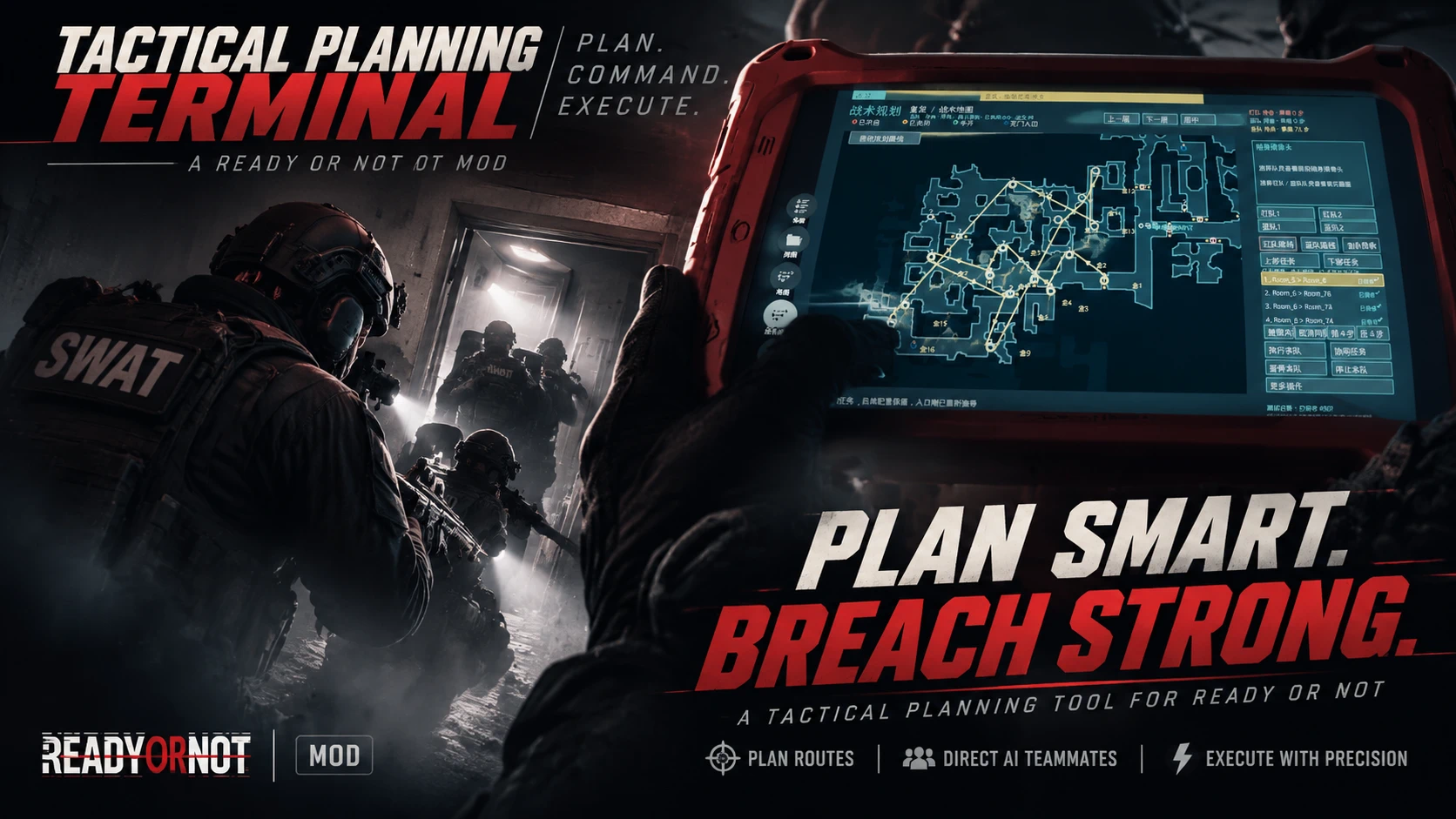
战术指挥平板电脑——地图规划与SWAT路线
在游戏内平板电脑上规划和指挥你的AI特警小队。为红队、蓝队或金队构建可编辑的清房路线,生成自动路线草案,切换随身摄像头,以战争迷雾追踪已知情报,并在地图上绘制。英文和中文界面。
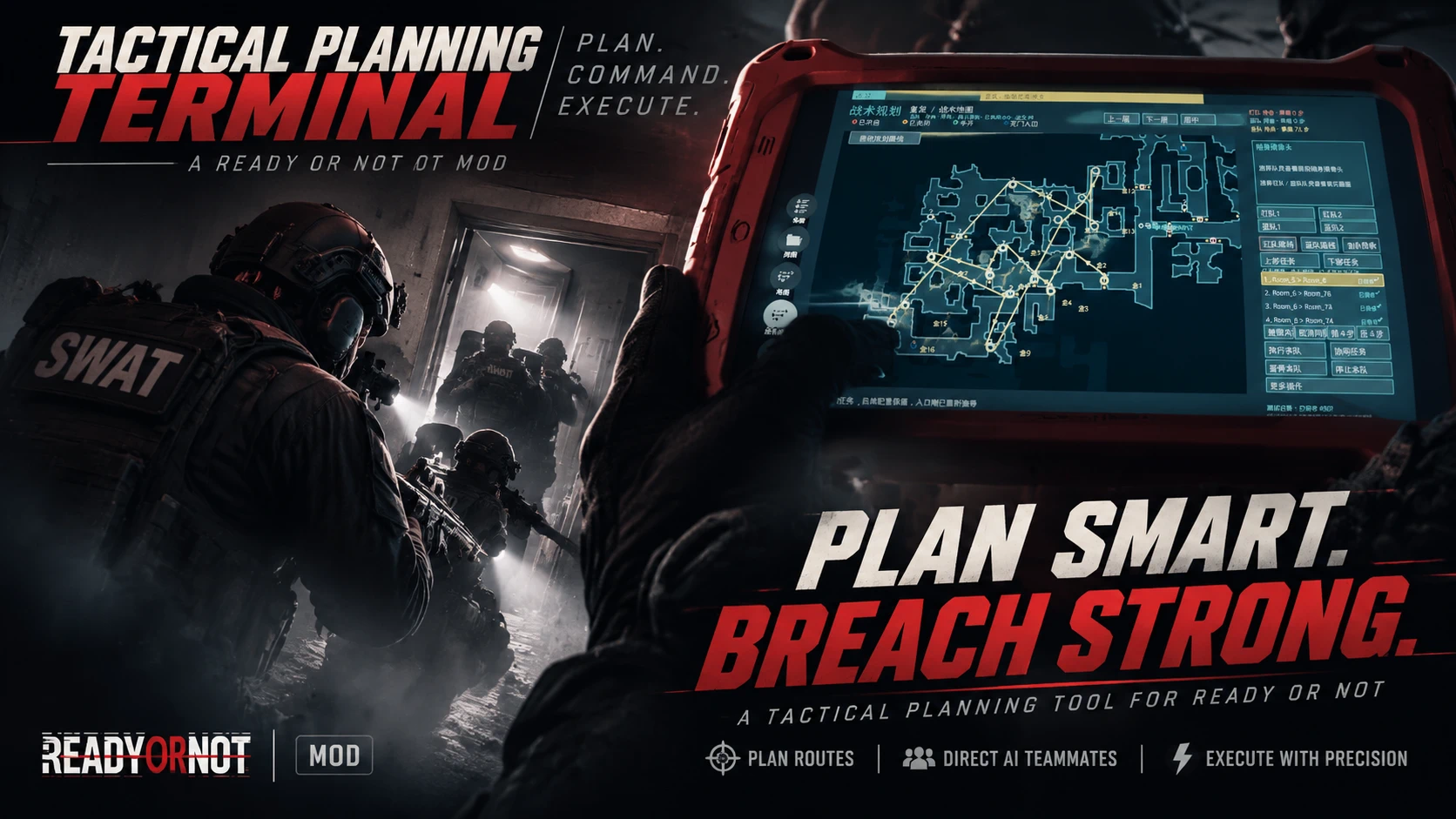 查看大图
这个模组将游戏内的作战平板变成战术指挥终端。查看地图、安排每个入口的行动,通过有顺序的任务指挥 AI 队友清理房间,同时掌握队伍位置、已知威胁和队员随身摄像头画面。
你可以手动编排行动,也可以先生成自动路线草稿,再逐项调整;确认准备完毕后,再让队伍开始执行。

在作战平板中查看战术地图
- 按 Tab 打开游戏内作战平板,进入「战术规划」页面。
- 查看房间结构、出入口、楼层、玩家位置和 AI 队友位置。
- 通过颜色辨认已知入口状态:红色为开启,黄色为关闭,绿色为半开,深蓝色为无门入口。
- 双开门作为一个入口进行交互,检查进入条件时会考虑两扇门的状态。
- 已知门锁和已发现的绊雷有额外提示;开启战争迷雾时,尚未获取的门况不会提前显示。
规划清房顺序,由原版寻路负责移动
点击地图入口,为红队、蓝队或金队(全队)编排房间与门任务。地图连线表示任务的先后顺序;队友通过原版寻路前往目标,线条本身不限定队友的实际行走轨迹。
- 为红队、蓝队分别规划路线,或使用金队执行全队行动,也可以安排队伍之间的协同任务。
- 在存在有效通路的情况下,安排折返或不直接相邻的目标。
- 逐项设置列队方式、准备动作、进入或破门方式,以及投掷物要求。
- 单独下达即时门动作,例如列队、镜枪观察、开门、关门、放置或移除门楔;可用选项遵循原版规则。
- 在终端暂停、停止和修改任务;已完成的任务会从可见计划中移除。
每次正式下令前,终端会重新检查门况和可用装备。如果规划时关闭的门已经打开,会调整不再适用的破门方式,并在条件允许时保留原定投掷物要求。双开门只要有一扇开启,也会避免继续使用破坏性破门。
自动规划路线

支持「红队」「蓝队」「红蓝并行」「金队」四种队伍模式,以及三种路线策略。自动规划会在地图上生成可以继续编辑的草稿,生成后仍需点击执行,队伍才会行动。
- 优先清理重要房间:以清完当前楼层为目标,首先清理同层无门入口相连的区域,再优先清理连接多个空间的枢纽房间,其次是小房间,楼梯与上下层连接房间最后处理。
- 细致清理:同样以清完当前楼层为目标,先处理无门相连区域,再优先清理附近的小房间,随后处理枢纽房间,楼梯与上下层连接房间最后处理。
- 快速抵达重要目标:优先前往能够定位的当前任务目标,允许提前跨层,之后再折返补清支线房间。无法自动定位目标时,可以选择一个已有门任务,将其目标房间设为快速目标。
自动进入会结合入口类型、门锁、可用装备和地图陷阱策略选择动作,并在每次真正下令时再次核对现场门况。
随身摄像头与战场情报
- 在侧边面板中切换查看四名 AI 队友的随身摄像头。
- 可选战争迷雾,将已知地图结构与队伍实际获取的现场情报区分开。
- 显示目击到的嫌疑人和平民;已确认失能和死亡的人员使用不同标记。
- 在任务规划旁查看已获取的门况、门锁和绊雷信息。
地图标注与语言设置
- 使用画笔绘制标记,用橡皮擦局部擦除,或一键清除当前楼层的标记。
- 笔迹随地图移动、缩放和楼层切换显示,仅在本次关卡会话中保留;标注不会生成路线或队友指令。
- 通过齿轮设置切换中文、英文,以及开启或关闭战争迷雾。
- 首次使用且没有有效设置时,中文游戏客户端默认使用中文,其他语言默认使用英文;已有手动语言选择优先保留。
安装方法
- 退出游戏。
- 更新时,将旧版终端模组移到游戏 Paks 文件夹之外备份,确保只加载一个终端版本。
- 将 pakchunk9800-Mod_TacticalTablet_Frontend_P.pak 复制到下方目录。
- 启动游戏,按 Tab 打开作战平板,进入「战术规划」。
...\Ready Or Not\ReadyOrNot\Content\Paks\
正常更新会保留已有有效的终端语言和战争迷雾设置。卸载时,退出游戏并移除此模组的 .pak 文件。
作者
@hjmim1336

Turn the in-game tablet into a tactical command station. Read the map, prepare each entry and send your AI SWAT squad through an ordered plan, while keeping team positions, known threats and a selectable body camera feed in view.
Create a plan yourself or generate a route draft, adjust the individual tasks, then execute when you are ready.
A tactical map inside your tablet
- Open the game’s tablet with Tab and access the tactical map page.
- View room layouts, entrances, floors, player position and AI SWAT locations.
- Read known entrance states at a glance: red for open, yellow for closed, green for partly open and dark blue for a doorless opening.
- Double doors appear as one interactive entrance, with both door leaves considered when checking entry conditions.
- Known locks and discovered traps have additional indicators. With fog of war enabled, unknown door conditions remain hidden.
Plan the order. Let the game handle movement.

Click entrances to build an ordered sequence of room and door tasks for Red, Blue or Gold, the full squad. Route lines show the intended task order; officers use the game’s native navigation to reach each destination rather than tracing the drawn line.
- Plan separate Red and Blue routes, use Gold for a full-squad operation, or arrange coordinated tasks between teams.
- Include backtracking and destinations that are not directly adjacent, where the game provides a valid route.
- Set stacking, preparation actions, entry or breaching method, and throwable choices for each task.
- Issue immediate door orders, including stacking, mirrorgun checks, opening or closing doors, and placing or removing wedges, where native game rules allow.
- Pause, stop and revise plans from the terminal. Completed tasks are removed from the visible plan.
Before dispatching an order, the terminal checks current door conditions and available equipment again. If a planned breach is no longer appropriate because a door has opened, the entry method can change while retaining the selected throwable requirement where valid. An open leaf on a double door also rules out destructive breaching.
Automatic route planning

Choose Red, Blue, Red + Blue parallel, or Gold, then select a planning style. The planner draws an editable draft on the map; generating a draft does not start the squad.
- Priority Rooms First — Finish the current floor before changing levels. Clear connected same-floor areas linked by doorless openings first, then prioritize hub rooms that connect several spaces, followed by smaller rooms. Stair and vertical-transition rooms come last on that floor.
- Thorough Clear — Finish the current floor, clearing connected doorless areas first. Then favor nearby small rooms before hub rooms, leaving stair and vertical-transition rooms until last.
- Fast Objective — Prioritize a locatable active mission objective, even when that means changing floors early, then return to side rooms. If an objective cannot be located automatically, select an existing door task and use its destination room as the goal.
Automatic entry choices account for door type, locks, available equipment and the map’s trap policy. Live door conditions are checked again when each order is actually sent.
Cameras and field intelligence
- Switch between four AI SWAT body camera feeds in the side panel.
- Use optional fog of war to distinguish the known layout from information your team has actually obtained.
- Track visually observed suspects and civilians, with separate markers for known incapacitated and dead characters.
- Keep known door, lock and trap information alongside your planned tasks.
Map notes and language settings
- Draw with the Brush, remove marks with the Eraser, or clear all marks on the current floor.
- Annotations follow map panning, zooming and floor changes. They are visual notes for the current level session and do not create AI commands.
- Choose English or Chinese and toggle fog of war from the gear icon.
- On first launch without valid saved settings, Chinese game clients select Chinese; other client languages default to English. A saved manual choice takes priority.
Installation
- Close the game.
- If updating, move the previous version of this terminal mod outside the game’s Paks folder. Load only one version of the terminal.
- Copy pakchunk9800-Mod_TacticalTablet_Frontend_P.pak into the folder below.
- Launch the game, open the tablet with Tab, and enter the tactical map page.
...\Ready Or Not\ReadyOrNot\Content\Paks\
Existing valid terminal language and fog settings are preserved when updating. To uninstall, close the game and remove this mod’s .pak file.
Quick start
- Choose Red, Blue or Gold.
- Click an entrance, configure the task and save it. Add more entrances to build the sequence, or use Auto Planner to generate a draft.
- Review the tasks and press Execute for the selected team.
- Use the camera panel to switch officers. Select View when you want to interact with doors again after drawing annotations.
Current release and compatibility
Current release: v0.36 test build. Native AI behavior, navigation, equipment and command restrictions still apply. Map support depends on usable native room, entrance and navigation data; automatic objective recognition is limited to supported, locatable mission targets.
Other mods that replace the same tablet or SWAT command interface assets may conflict. Multiplayer compatibility has not been verified.
If something goes wrong, please include the map, team, target entrance and command sequence in your report, along with terminal diagnostic logs if available.
Author
@hjmim1336
正在加载版本记录…
正在加载评论…
评论在新手盒子客户端中发表,这里同步展示。