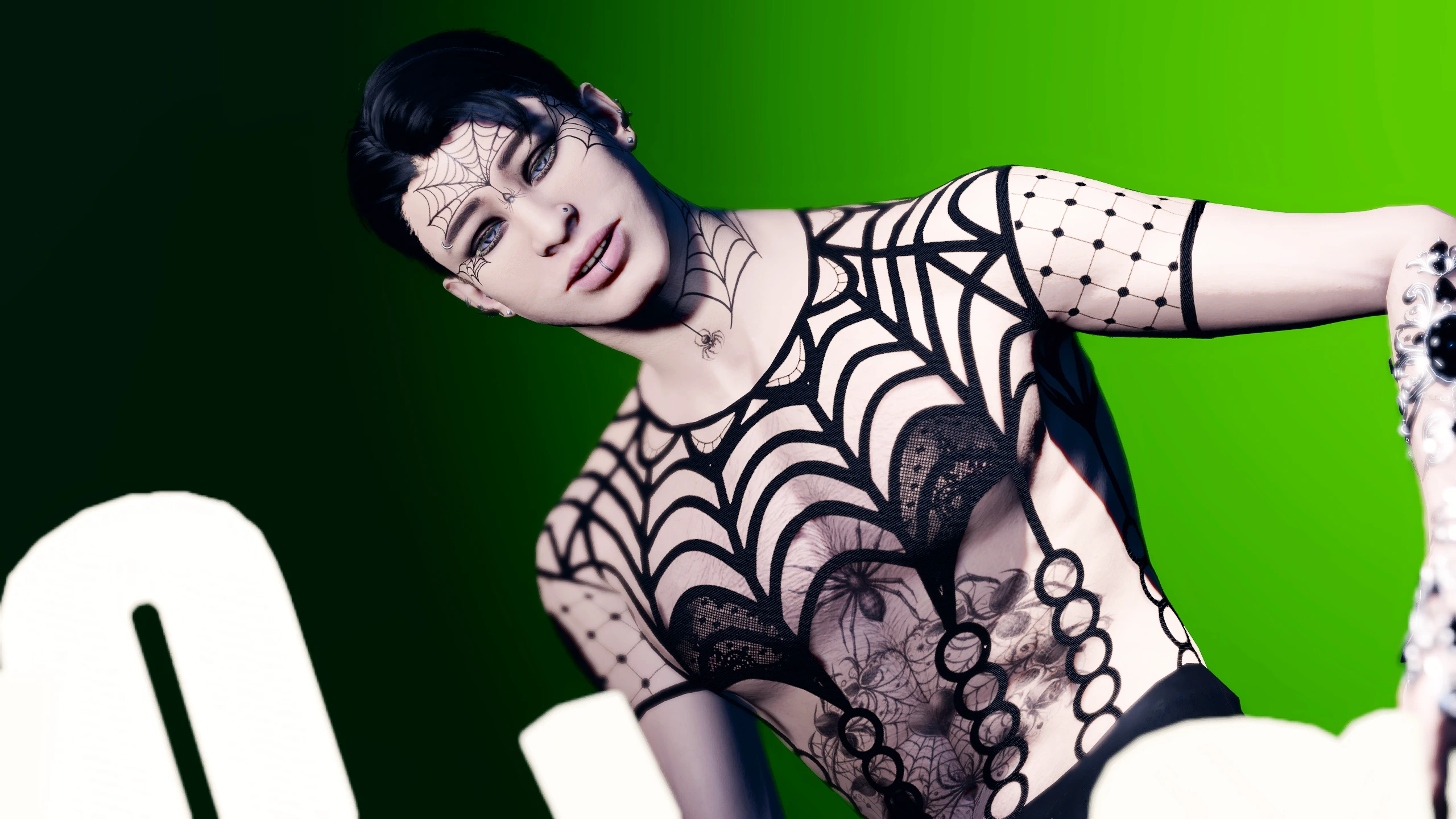
蜘蛛丝纹身
一套蜘蛛主题的面部和身体纹身合集。兼容STAV、KAVT、UTAV和RT。
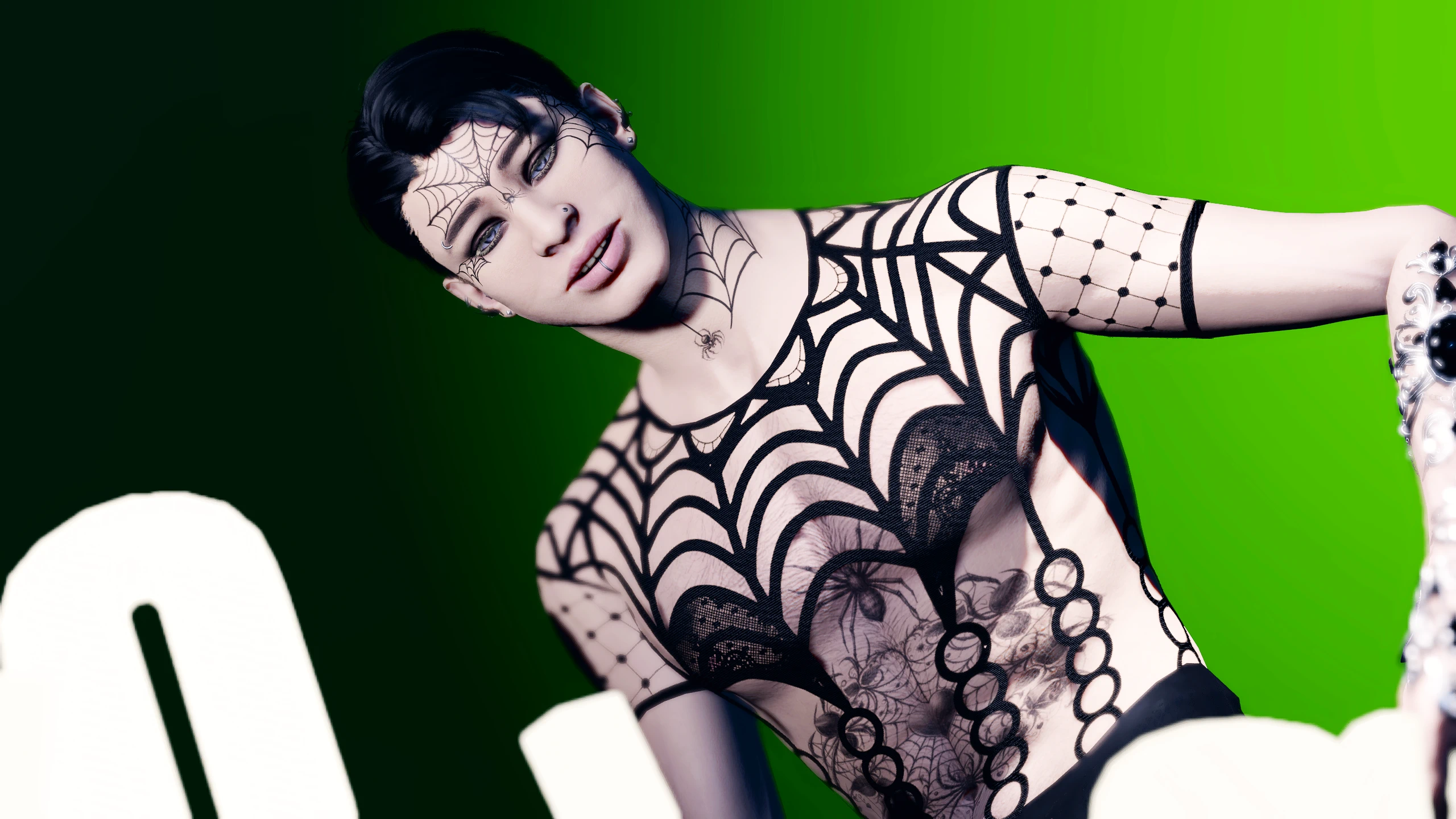 查看大图
[center][img]https://i.postimg.cc/L8tWK84q/information.png[/img][/center]

大家秋日快乐!
我是不是比原计划晚发了……是的,确实晚了。我最近确实没怎么露面,我也不能确定之后会不会有所改变,但我想至少先把这些发出来。其实这些是我春天做的,但想等到一年中更"合适"的时机再发布。
不管怎样,这里有 60 个身体纹身和 38 个面部纹身。其中一个身体纹身和一个面部纹身是我自己画的,我把它们做成了 KAVT 发光纹身。
目前我不打算把面部纹身作为替换版上传。我遇到了某种压缩问题,一直没来得及修复。
[center] [img]https://staticdelivery.nexusmods.com/mods/3474/images/26366/26366-1793547746-2101340332.png[/img][/center] [center][/center]

此版本的模组包含 60 个文件夹,每个纹身一个。这是为那些一次只使用一个纹身的玩家准备的。
通常在使用 [url=https://www.nexusmods.com/baldursgate3/mods/2754]Unique Tav[/url] 时,同一时间只能看到一个/安装一个身体纹身。这通常是 DDS 文件红色通道中的第一个纹身。
身体纹身图片已编号。
[center][img]https://i.postimg.cc/cJdbsG6d/install.png[/img][/center]

对于分离版本,下载文件,解压文件,选择你想要的纹身编号文件夹,然后把 "Generated" 文件夹放入你的 "Data" 文件夹,路径大致如下:(disk:\SteamLibrary\steamapps\common\Baldurs Gate 3\Data)
[center][img]https://staticdelivery.nexusmods.com/mods/3474/images/26366/26366-1793547861-1723088767.png[/img][/center] [center][/center]

此版本将全部 60 个身体纹身放在一个 DDS 上。需要 [url=https://www.nexusmods.com/baldursgate3/mods/2754]Unique Tav[/url]、KAVT NVP 或 KAVT 才能使用该文件,因为它要放在 UTAV 的身体纹身文件夹中。
此文件兼容 UTAV、KAVT 和 KAVT NVP。
为了查看全部 60 个纹身,你需要使用 [url=https://www.nexusmods.com/baldursgate3/mods/7258]Magic Mirror Menu (MMM)[/url] 或 Rakor 的 [url=https://www.nexusmods.com/baldursgate3/mods/17123]CCEE[/url]。我目前不知道还有其他模组能像这样在全部三个 RGB 通道上显示纹身(此版本不兼容 STAV)。
此文件中的纹身与其他文件和附图相比顺序略有不同。这是因为当身体纹身在通道上重叠时,有时会导致它们变得像素化和模糊,为了避免这种情况,我把它们稍微打乱了一下,但全部都在。
这些可以与 Kaz 的 CC 纹身选择器一起使用,但颜色会不对,而且你会同时看到多个纹身,所以使用选择器时我不推荐这个版本。
[center] [img]https://i.postimg.cc/cJdbsG6d/install.png[/img][/center]
如果你使用的是某个合并版本,解压 Zip 文件,然后把 "Generated" 文件夹放入你的 "Data" 文件夹,路径大致如下: (disk:\SteamLibrary\steamapps\common\Baldurs Gate 3\Data)
[center][img]https://staticdelivery.nexusmods.com/mods/3474/images/26366/26366-1793548145-670947007.png[/img][/center] [center][/center]

这些纹身兼容 UTAV、KAVT、KAVT NVP 和 Rogue Tattoo(与 UTAV 或其等效模组一起使用时)。
共有三个文件,将 60 个纹身分成 3 块:1-20、21-40 和 41-60。
这样做是为了提高与纹身切换器的兼容性,例如 [url=https://www.nexusmods.com/baldursgate3/mods/17702]Kaz's CC tattoo selector[/url] 或 Rogue Tattoo,它们一次只显示 20 个身体纹身。
[center][img]https://i.postimg.cc/cJdbsG6d/install.png[/img][/center]
选择三个文件中的一个,然后解压 Zip 文件,把 "Generated" 文件夹放入你的 "Data" 文件夹,路径大致如下: (disk:\SteamLibrary\steamapps\common\Baldurs Gate 3\Data)
[center] [img]https://staticdelivery.nexusmods.com/mods/3474/images/26366/26366-1793548191-1912771516.png[/img][/center]

非常感谢 [url=https://www.nexusmods.com/baldursgate3/users/231355020]HastursQueen[/url] 让我进行实验,这样我才能为大家制作这些。
与上面的版本一样,这些已分成 3 个文件:1-20、21-40 和 41-60。
有关如何使用 Rogue Tattoo 的详细说明,请前往他们的模组页面。 使用 Rogue Tattoo 不需要 UTAV,但可以同时使用。如果你同时使用 UTAV/KAVT/KAVT NVP 和 Rogue Tattoo,请不要使用此版本的身体纹身,请使用上面列出的分离版或合并版。它们可以与 Rogue Tattoo 一起使用。 此专用版本是为那些使用 RT 但不使用 UTAV 或其等效模组的玩家准备的。
经过测试,我们发现将 Rogue Tattoo 与这些文件一起使用不会影响 Gale 胸前的纹身,但可能会像替换版面部纹身一样覆盖其他 NPC 的纹身。 有趣的事实:按照 RT 的说明操作(洗点等),你应该能将这些纹身用在 Astarion、Minthara、Shadowheart、Jaheria、Lae'zel(不过会移除她的吉斯斑点)、Minsc 和 Halsin 身上。
替换游戏原版资源时请备份你的文件。此版本替换的文件位于: disk:\SteamLibrary\steamapps\common\Baldurs Gate 3\Data\Generated\Public\Shared\Assets\Characters_Models_SharedAssets\SHARED_Atlas\Resources/ Skin_Atlas_Body_UNI_Tattoo_A_MSK1.DDS
[center][img]https://i.postimg.cc/cJdbsG6d/install.png[/img][/center]
如果你使用的是 Rogue Tattoo 版本,解压 Zip 文件,把 "Generated" 文件夹放入你的 "Data" 文件夹,路径大致如下: (disk:\SteamLibrary\steamapps\common\Baldurs Gate 3\Data)
[center][img]https://staticdelivery.nexusmods.com/mods/3474/images/26366/26366-1793548681-1979570900.png[/img][/center] [center][/center]

[left][url=https://www.nexusmods.com/profile/EvilSnail0fDestruktion?gameId=3474]EvilSnailofDestrucktion[/url]、[url=https://www.nexusmods.com/profile/Nzx]Nzx[/url] 和 [url=https://www.nexusmods.com/profile/rakor]rakor[/url] 推出了全新的着色器和纹身切换器!
如果你还没看过,它和 CCEE、MMM 一样可以在全部 60 个可用身体纹身之间循环,甚至还能把那 60 个变成发光纹身。 它还有很多非常酷的功能,比如 Orin 的变形漩涡纹样和身体疤痕选项。[/left] [left][/left] [left]有全部 60 个身体纹身和 38 个面部纹身的文件[/left]
[left] 它与 KAVT 或 UTAV 不兼容,也不能同时使用,我猜它也不兼容 Variety Framework 或 Character Creation Overhaul。
Volitio 已经为 STAV 制作了一个[url=https://www.nexusmods.com/baldursgate3/mods/23676]自动补丁器[/url]。
该模组仍处于测试阶段,并且在不断更新,所以请在他们完善期间多多包涵,但如果你发现自己想要使用一整块纹身却在 CCEE 上遇到困难,这是一个非常好的替代方案。
此文件中的纹身顺序略有不同,以保持第一个纹身槽位为空,但它们全部都在。
点击这里查看 STAV -> [url=https://www.nexusmods.com/baldursgate3/mods/23613]STAV[/url] [/left] [center][/center] [center][/center] [center][img]https://i.postimg.cc/cJdbsG6d/install.png[/img]

[left]如果你使用的是 STAV 版本,解压 Zip 文件,把 "Public" 文件夹放入你的 "Data" 文件夹,路径大致如下:[/left] [left](disk:\SteamLibrary\steamapps\common\Baldurs Gate 3\Data)[/left] [left][/left] [left][b]!! 请注意你的 Data 文件夹中有 2 个 "public" 文件夹。请仔细检查你是否放对了位置 !![/b][/left] [/center]
[center][img]https://staticdelivery.nexusmods.com/mods/3474/images/26366/26366-1793548290-640341241.png[/img][/center]

这些可用于 UTAV 或 KAVT NVP。
[u][b]要让这些与 KAVT NVP 配合使用,你必须使用 KAVT NVP 1.4 或更早的版本,否则它们不会显示。[/b][/u] 如果你使用的是 1.5 或更高版本,请使用常规 KAVT 版本。
请记住,自定义面部纹身只对兼容 UTAV/KAVT 或已打补丁的自定义头部有效! 我推荐 Voiltio 为 [url=https://www.nexusmods.com/baldursgate3/mods/20629]KAVT/UTAV[/url] 和 [url=https://www.nexusmods.com/baldursgate3/mods/22551]Race[/url] 制作的出色自动补丁器。
[center][img]https://i.postimg.cc/cJdbsG6d/install.png[/img][/center]
如果你使用的是 UTAV 版本,解压 Zip 文件,把 "Generated" 文件夹放入你的 "Data" 文件夹,路径大致如下: (disk:\SteamLibrary\steamapps\common\Baldurs Gate 3\Data)
[center][img]https://staticdelivery.nexusmods.com/mods/3474/images/26366/26366-1793548306-1639335027.png[/img][/center]

此版本的面部纹身适用于 [url=https://www.nexusmods.com/baldursgate3/mods/16325]Kazstra's Virtual Tav x Tattoo Makeup and Scar Extender (KAVT)[/url],并替换了 37 个面部纹身选项。
这些也适用于 KAVT NVP 1.5 或更高版本。 如果你使用的是 KAVT NVP 1.4 或更早版本,请使用"UTAV 版本"。
请记住,自定义面部纹身只对兼容 UTAV/KAVT 或已打补丁的自定义头部有效! 我推荐 Voiltio 为 [url=https://www.nexusmods.com/baldursgate3/mods/20629]KAVT/UTAV[/url] 和 [url=https://www.nexusmods.com/baldursgate3/mods/22551]Race[/url] 制作的出色自动补丁器。
[center][img]https://i.postimg.cc/cJdbsG6d/install.png[/img][/center]
如果你使用的是 KAVT 版本,解压 Zip 文件,把 "Generated" 文件夹放入你的 "Data" 文件夹,路径大致如下: (disk:\SteamLibrary\steamapps\common\Baldurs Gate 3\Data)
[center][img]https://staticdelivery.nexusmods.com/mods/3474/images/26366/26366-1793548336-77417870.png[/img][/center] [center][/center]

如果你使用 KAVT(或 KAVT NVP 1.5 或更高版本),这些可作为替换版纹身使用。通常对于替换版纹身,你会下载/安装一个"替换"游戏原版纹身图集的文件,该文件在 KAVT 中不会出现。相反,那些纹身会出现在一个"原版" KAVT 文件中,该文件位于你的 UTAV-FACE 文件夹中,与常规 KAVT 纹身文件放在一起。
使用此版本,就像替换版纹身文件一样,会覆盖 NPC 纹身,而且那些纹身也可能出现在你的同伴以及某些未打 KAVT 补丁的头部上,是某些头部,不是全部。 你可以同时安装此版本和另一个"常规" KAVT 面部纹身文件,它们不会互相覆盖,因为它们影响的是不同的东西。
请记住,自定义面部纹身只对兼容 UTAV/KAVT 或已打补丁的自定义头部有效! 我推荐 Voiltio 为 [url=https://www.nexusmods.com/baldursgate3/mods/20629]KAVT/UTAV[/url] 和 [url=https://www.nexusmods.com/baldursgate3/mods/22551]Race[/url] 制作的出色自动补丁器。
[center][img]https://i.postimg.cc/cJdbsG6d/install.png[/img][/center]
如果你使用的是 KAVT 原版版本,解压 Zip 文件,把 "Generated" 文件夹放入你的 "Data" 文件夹,路径大致如下: (disk:\SteamLibrary\steamapps\common\Baldurs Gate 3\Data)
[center][/center] [center][/center] [center][img]https://staticdelivery.nexusmods.com/mods/3474/images/26366/26366-1793548835-1937269599.png[/img][/center] [center][left]同一时间只能激活一个 KAVT 面部或身体发光纹身。

这些纹身需要 [url=https://www.nexusmods.com/baldursgate3/mods/16325]Kazstra's Virtual Tav x Tattoo Makeup and Scar Extender (KAVT)[/url] 或 KAVT NVP 1.5 才能工作。 他们的模组页面上有如何更改发光纹身颜色和发光强度的说明。或者,你也可以使用 Rakor 的 [url=https://www.nexusmods.com/baldursgate3/mods/17123]CCEE[/url] 或 [url=https://www.nexusmods.com/baldursgate3/mods/4964]Astra's Glow eyes[/url] 来轻松更改颜色和强度。 (或者你可以切换到 STAV,所有纹身都可以是发光纹身)[/left] [/center] [center][img]https://i.postimg.cc/cJdbsG6d/install.png[/img]
[left]如果你使用的是 KAVT 发光纹身,解压 Zip 文件,把 "Generated" 文件夹放入你的 "Data" 文件夹,路径大致如下:[/left] [left](disk:\SteamLibrary\steamapps\common\Baldurs Gate 3\Data)
[/left] [/center] [img]https://i.postimg.cc/g2V7F2cx/info.png[/img]

⋆ 使用 UTAV/KAVT 版本时,请确保 Unique Tav/KAVT/KAVT NVP 是最新版本
- KAVT 最近已更新。此模组中需要 KAVT 的文件不会与 V1.4 之前的 KAVT 版本兼容 ⋆ 我计划制作其他主题包,如果你有任何建议请告诉我 ⋆ 我记不太清这些图片的很多来源,有些是我自己画的(主要是蜘蛛网),大部分可能来自 Creative Fabrica,我订阅了它,它以托管 AI 图片而闻名。 ⋆ 我被告知我的纹身模组可以与 Jawstarion 的 [url=https://www.nexusmods.com/baldursgate3/mods/13657]Variety Framework[/url] 和 [url=https://www.nexusmods.com/baldursgate3/mods/16955]Character creation Overhaul[/url] 一起使用,不过我没用过,所以我不确定具体怎么运作。
- 我很想看到你们的截图,欢迎上传!
[img]https://i.postimg.cc/TPYYwkV0/permissions.png[/img]

一如既往,请随意修改我的图集。我允许个人编辑,但未经我的许可[b]请勿重新上传或分发[/b]我的模组,除此之外尽情享受,你可以随时联系我,我知道我做了很多纹身,我非常乐意为你制作由我的纹身组成的免费自定义纹身图集。
[center][img]https://i.postimg.cc/PqdRtnNN/mods.png[/img] 我稍后会把它们打出来[/center] [center][/center] [center][/center] [center][url=https://discord.gg/qEYG5Bqd][img]https://i.postimg.cc/fyqTmvgK/mm-logo-2.png[/img][/url]

![https://discord.gg/qEYG5Bqd][img]https://i.postimg.cc/fyqTmvgK/mm-logo-2.png[/img][/url]](https://discord.gg/qEYG5Bqd%5D%5Bimg%5Dhttps://i.postimg.cc/fyqTmvgK/mm-logo-2.png%5B/img%5D%5B/url%5D)
[url=https://discord.gg/8w6MSjf3wA][b]Discord 链接[/b][/url]
我现在有一个 Discord 服务器了。它很小,以烘焙为主题,我希望它能成为我与大家联系的地方,在那里我可以帮你解决纹身问题,也能向你学习。 我目前对它还没有很多计划,但我希望我能在那里创建和上传资源和教程,以及大量图片! 全是舒适甜品氛围。已经有一些很棒的人在那里了,如果你愿意的话来打个招呼吧 ❤️
[img]https://staticdelivery.nexusmods.com/mods/3474/images/26366/26366-1793549124-988075451.png[/img]

[size=5]El [url=https://www.nexusmods.com/baldursgate3/users/231355020]HastursQueen[/url] [url=https://next.nexusmods.com/profile/Hashthrough?gameId=3474]Hashthough[/url] [/size][/center]
正在加载版本记录…
正在加载评论…
评论在新手盒子客户端中发表,这里同步展示。