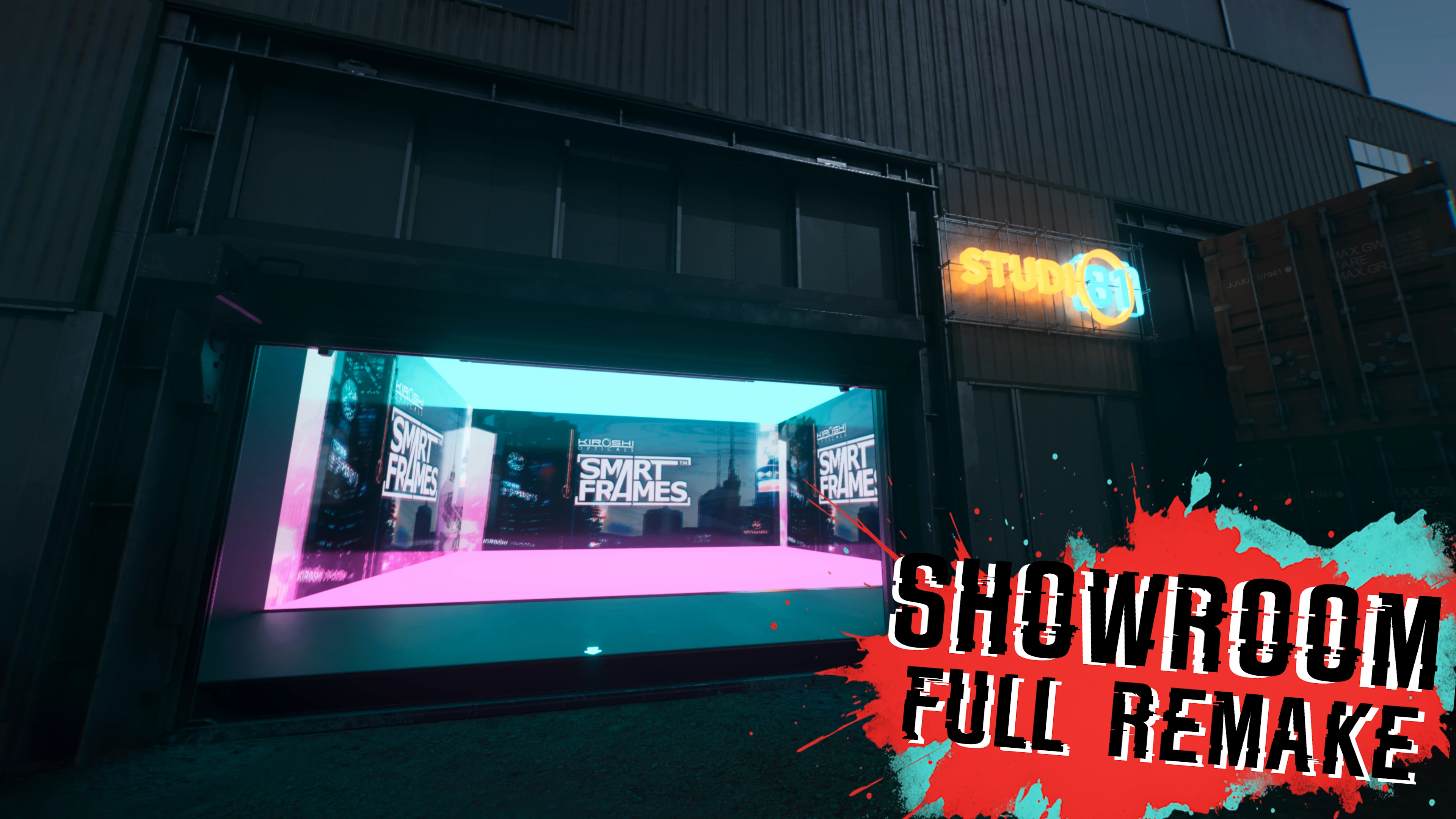
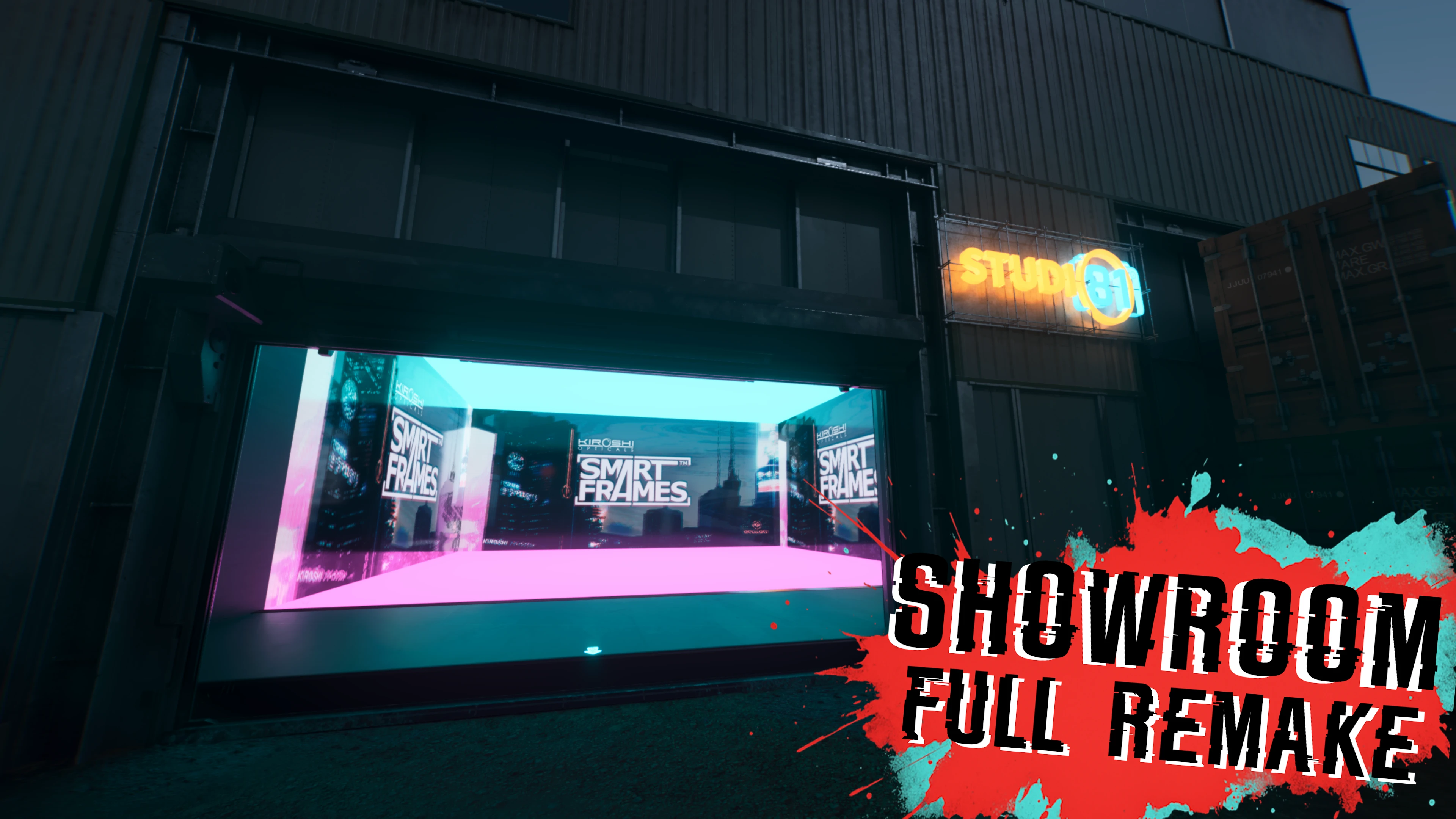
展厅 - 摄影工作室(视觉 - 拍照模式空间)
更新 3.1,全新外观与全新设置。摄影棚与视觉室,为各类虚拟摄影师的需求提供理想的工作空间,尽情发挥创意!
 查看大图
[center][img]https://staticdelivery.nexusmods.com/mods/3333/images/25771/25771-1766334078-496733209.png[/img]
[img]https://staticdelivery.nexusmods.com/mods/3333/images/25771/25771-1766325288-2037958585.png[/img][/center]
[img]https://staticdelivery.nexusmods.com/mods/3333/images/25771/25771-1766334077-1933274923.png[/img]
[color=#ff0000]◆ [/color][size=4][b]面向所有虚拟摄影师的摄影棚与视觉房间,内置大量灯光与纹理功能以及各类智能相框布置,尽情发挥创意吧![/b][/size]
[size=3][i]所有智能相框均可轻松交互,方式为跳跃并按交互键,部分需下蹲。大型展厅内设有隐形方块供你攀爬。(见图)[/i]
[/size]
[color=#00ffff]◆ [/color][size=4][b]3.0 更新 |[/b][/size][size=5] [/size][size=3]本模组已完全重制,如今更加精致且更具目的性。新增大量便利性改进与功能,包括一个[b]可在拍照模式中实时更改视觉设置的 CET 叠加界面[/b]。集成 NIF,提供一间更衣室/巨型镜墙,没有烦人的洗手池挡路,方便你好好检查自己的服装。
该地点新增了扩展区域,可容纳新布置,并让各装置之间更为通透,希望能带来更好的拍照角度!我现在也为未来的更新预留了空间。
已加入 [url=https://www.nexusmods.com/cyberpunk2077/mods/26454]Simple Location Manager[/url] 预设集成(若你没有该模组,此文件不会引发任何问题或 bug)
[b]此外还有一个可选背景包,助你上手并从中获得一些智能相框用法灵感![/b]
[/size]
[center][youtube]Fo6faw03h3U[/youtube][/center][color=#ff0000]◆[/color][color=#00ffff] [/color][size=4][b]3.1 更新 |[/b][/size][size=5] [/size][size=3]本次更新带来一整排全新布置与隔间,为你拍出最佳照片提供更多选择。一如既往,如果你认为这些还能做得更好,请不吝反馈。同时还引入了夜之城最具反射性的材质——由 Friedrich Goonah 发明的 The Goonah Glass™。[b]LUA 文件已重做,[/b][b]更新时不再需要手动删除。[/b][/size][b]
[/b]
[color=#00ffff]◆[/color][color=#ff0000] [/color][size=4][b]自定义图片 | [/b][/size][size=3][i]友情提醒,你可以将自定义图片放入拍照模式文件夹,以导入到智能相框中,通常位于:[/i]
[size=4]C:\Users\Your User Name\Pictures\Cyberpunk 2077
[/size]
如果图片不显示或其颜色看起来异常,问题似乎最终与图片分辨率有关,而非其格式或编码。尝试将图片调整为常见分辨率,这是对我而言最可靠的方法。
[/size][size=4][url=https://staticdelivery.nexusmods.com/mods/3333/images/25771/25771-1767659235-1007326982.png]分辨率示例见此。[/url]
[/size]
[center][img]https://staticdelivery.nexusmods.com/mods/3333/images/25771/25771-1766259499-1256116989.png[/img][/center][img]https://staticdelivery.nexusmods.com/mods/3333/images/25771/25771-1766334077-84699684.png[/img]
[color=#ff0000][size=2]◆[/size][/color][size=4] [b]Vortex[/b] : [/size][size=3]一键安装 / 卸载[/size]
[size=4] ⚠️[/size][size=2] 请注意,有时 Vortex 和 MO2 无法正确安装 CET 脚本与 Native Interactions Frame 文件。(尤其是在更新时)
若你遇到这两者中任一的问题:
[b]脚本子文件夹[/b]必须删除,然后通过 Vortex/MO2 重新安装
\Cyberpunk 2077\bin\x64\plugins\cyber_engine_tweaks\mods\[b]delete_this_subfolder[/b]
[b]Native Interactions Framework[/b] 文件必须删除,然后重新安装
\Cyberpunk 2077\bin\x64\plugins\cyber_engine_tweaks\mods\nativeInteractions\projects\[b]delete_this_file[/b]
[/size]
[color=#00ffff][size=2]◆[/size][/color][size=4] [b]手动[/b] : [/size][size=3]将模组解压到你的 [i]Cyberpunk 2077[/i] 主安装文件夹中。
要[b]卸载[/b],请前往该模组的文件页面,点击 "Preview file contents",然后从你的主安装文件夹中删除相同的文件。[/size]
[center][img]https://staticdelivery.nexusmods.com/mods/3333/images/25771/25771-1766325378-55321685.png[/img][/center][img]https://staticdelivery.nexusmods.com/mods/3333/images/25771/25771-1766334077-858623416.png[/img]
[color=#ff0000]◆[/color] [size=3][url=https://www.nexusmods.com/cyberpunk2077/mods/14935]HUD Painter[/url] : 轻微不兼容,如果你想同时运行两者,需要移除本模组的自定义地图标记。删除 "Showroom" 文件夹([b]不是 Showroom Settings 文件夹[/b])。位于:
[i]- Cyberpunk 2077\bin\x64\plugins\cyber_engine_tweaks\mods
- Cyberpunk 2077\r6\scripts
[/i][/size]
[center][img]https://staticdelivery.nexusmods.com/mods/3333/images/25771/25771-1766259499-1566044704.png[/img][/center][img]https://staticdelivery.nexusmods.com/mods/3333/images/25771/25771-1766334077-594911053.png[/img]
[center][img]https://staticdelivery.nexusmods.com/mods/3333/images/25771/25771-1766325594-168238020.png[/img][/center][img]https://staticdelivery.nexusmods.com/mods/3333/images/25771/25771-1766334077-847534925.png[/img]
[size=2][color=#ff0000][size=2]◆[/size][/color][size=3][color=#ff0000] [/color][url=https://www.nexusmods.com/profile/manavortex/mods?gameId=3333]manavortex[/url][b] : 绝对是一切让 3.0 重制版及新功能成为可能的人,从创建材质库模组到制作新的 Wolvenkit 功能以支持本次更新,同时也是激励我尝试 WB 并始终以仁慈且乐于教导的姿态出现的人。对你为这个社区所做的一切,我致以最诚挚的敬意与感激![/b][/size]
[color=#00ffff][size=2]◆[/size][/color][size=3] [/size][size=3]特别感谢以下模组作者,他们在交付 3.0 更新之前的数天里帮助排查故障与调试问题:[url=https://www.nexusmods.com/profile/Akiway/mods]Akiway[/url]、[url=https://www.nexusmods.com/profile/dmiitryx/mods?gameId=3333]dmiitryx[/url]、[url=https://www.nexusmods.com/profile/psiberx/mods]psiberx[/url]、[url=https://www.nexusmods.com/profile/manavortex/mods?gameId=3333]manavortex[/url][/size]
[color=#ff0000]◆[/color][/size][size=3] [/size][b][size=3]衷心感谢 [url=https://next.nexusmods.com/profile/LadyValkyria/mods?gameId=3333]LadyValkyria[/url]、[url=https://www.nexusmods.com/profile/SoaemNA/media]SoaemNA[/url]、[url=https://www.nexusmods.com/profile/CaraHanaa/media]CaraHanaa[/url]、[url=https://www.nexusmods.com/profile/numbflame/media]Numbflame[/url]、[url=https://www.nexusmods.com/profile/Zus77/media?gameId=3333]Zus77[/url]、[size=3][url=https://www.nexusmods.com/profile/CreepySasquatch/mods]CreepySasquatch[/url] [/size]以及一位匿名贡献者[/size]
[size=3]提供了令人惊叹的示例截图,展示了该地点的潜力。[/size]
[size=4]非常感谢你们![color=#ff0000][size=4]♡[/size][/color][color=#ff0000][size=4]♡[/size][/color][color=#ff0000][size=4]♡[/size][/color][/size][/b]
[color=#00ffff][size=2]◆[/size][/color][size=3] [/size][size=3][url=https://next.nexusmods.com/profile/Hepero/mods?gameId=3333]Hepero[/url] / [url=https://next.nexusmods.com/profile/Oranje3/mods]Oranje3[/url] : 自定义地图标记脚本 / 自定义地图图标编辑 [/size]
[color=#ff0000][size=2]◆[/size][/color][b] [/b][size=3][b][url=https://next.nexusmods.com/profile/NexusGuy999/mods?gameId=3333]Nexuguy999/keanuWheeze[/url] 基本上提供了让本模组及其当前状态成为可能的一切,从 WB 到 Native Settings UI,还有分区变体脚本。
[i]非常感谢你为这款游戏和社区所做的一切。[/i][/b][/size][b][size=3]
[/size][/b][color=#00ffff][size=2]◆ [/size][/color][size=3]也感谢你读到这里 [/size][b][color=#ff0000][size=4]♡[/size][/color][/b]
[center][img]https://staticdelivery.nexusmods.com/mods/3333/images/25771/25771-1766259499-124662221.png[/img]
[url=https://www.nexusmods.com/profile/Kaoziun/mods][img]https://staticdelivery.nexusmods.com/mods/3333/images/25771/25771-1766337146-816046424.png[/img][/url][/center][url=https://www.nexusmods.com/profile/Kaoziun/mods]
[/url]
[url=https://www.nexusmods.com/profile/Kaoziun/mods]
[/url]


![https://staticdelivery.nexusmods.com/mods/3333/images/25771/25771-1767659235-1007326982.png]分辨率示例见此。[/url]](https://staticdelivery.nexusmods.com/mods/3333/images/25771/25771-1767659235-1007326982.png%5D%E5%88%86%E8%BE%A8%E7%8E%87%E7%A4%BA%E4%BE%8B%E8%A7%81%E6%AD%A4%E3%80%82%5B/url%5D)


![https://www.nexusmods.com/profile/Kaoziun/mods][img]https://staticdelivery.nexusmods.com/mods/3333/images/25771/25771-1766337146-816046424.png[/img][/url][/center][url=https://www.nexusmods.com/profile/Kaoziun/mods]](https://www.nexusmods.com/profile/Kaoziun/mods%5D%5Bimg%5Dhttps://staticdelivery.nexusmods.com/mods/3333/images/25771/25771-1766337146-816046424.png%5B/img%5D%5B/url%5D%5B/center%5D%5Burl=https://www.nexusmods.com/profile/Kaoziun/mods%5D)
正在加载版本记录…
正在加载评论…
评论在新手盒子客户端中发表,这里同步展示。