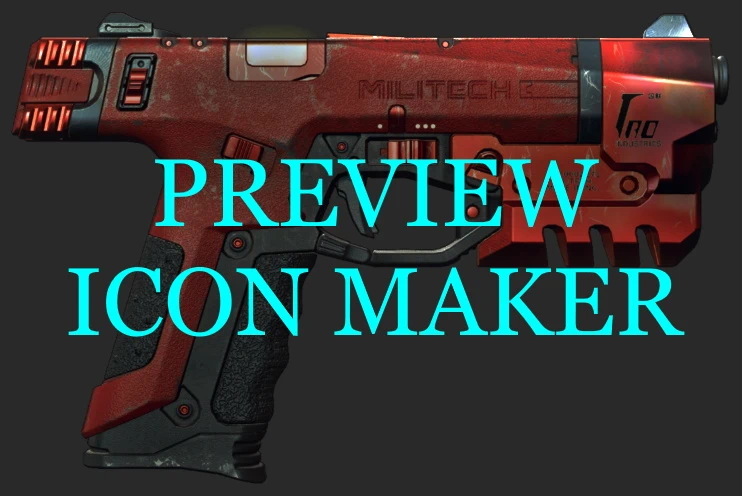
Preview Icon Maker
Make CDPR-style weapon icons from the game's own 3D item preview. PNGs plus a ready .archive and TweakXL yaml. Touch them up at 2x or 3x and rebuild the game files in one click.
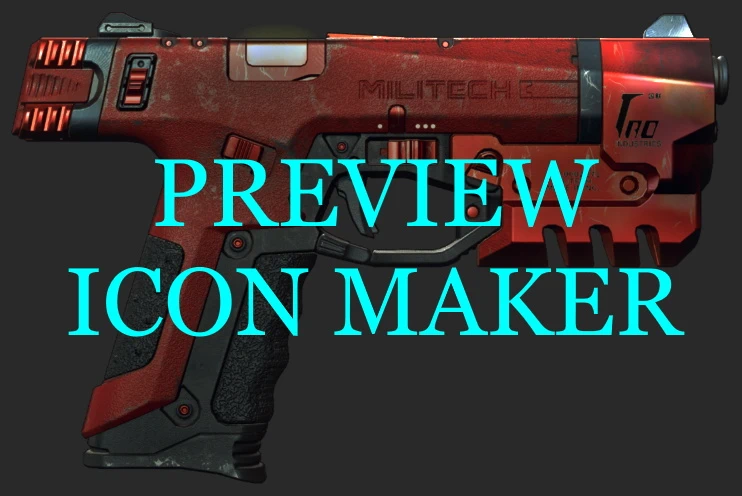 查看大图
[center][font=Georgia][size=6][color=#00F0FF]Preview Icon Maker[/color][/size][/font]
[color=#52525B]━━━━━━━━━━━━ ✦ ━━━━━━━━━━━━[/color]
[font=Verdana][size=3][color=#FCEE0A]Inventory icons from the game's own 3D preview, in CDPR style.[/color][/size][/font][/center]
[size=4][font=Courier New][b][color=#FCEE0A]◆ INSTALL[/color][/b][/font][/size]
[color=#3F3F46]────────────────────────────────────────────[/color]
[font=Verdana][size=2][color=#D4D4D8]▹ Extract into your Cyberpunk 2077 folder, or install with Vortex.
▹ The tool lives in [color=#FFFFFF]bin\x64\plugins\cyber_engine_tweaks\mods\PreviewIconMaker[/color]. Its settings, list, pictures and icons are all in that folder.
▹ Install [url=https://www.blender.org/download/]Blender[/url] (any recent free version). The tool finds it. If not, it asks you once to drag blender.exe into its window.[/color][/size][/font]
[size=4][font=Courier New][b][color=#FCEE0A]◆ THE LIST[/color][/b][/font][/size]
[color=#3F3F46]────────────────────────────────────────────[/color]
[font=Verdana][size=2][color=#D4D4D8]Open [color=#FFFFFF]list.txt[/color] in the tool folder and put one item per line:
▹ [color=#FFFFFF]Items.MyMod_Rifle_Red[/color] your own item
▹ [color=#FFFFFF]Items.Preset_Lexington_Neon:neon2[/color] an item and one of its looks, for skins with several looks (most vanilla skins)
Lines starting with # are skipped. The icon is named after the line: [color=#FFFFFF]MyMod_Rifle_Red.png[/color], [color=#FFFFFF]Preset_Lexington_Neon__neon2.png[/color].[/color][/size][/font]
[size=4][font=Courier New][b][color=#FCEE0A]◆ SETTINGS[/color][/b][/font][/size]
[color=#3F3F46]────────────────────────────────────────────[/color]
[font=Verdana][size=2][color=#D4D4D8]In [color=#FFFFFF]settings.ini[/color], default value in brackeds:
▹ [color=#FFFFFF]blender[/color] full path to blender.exe. Empty = the tool looks in the usual places. (empty)
▹ [color=#FFFFFF]name[/color] your mod's name, used in the game files and icon records. Letters, numbers and _ only, at most 30, different for every mod. (MyMod)
▹ [color=#FFFFFF]game[/color] your game folder. Only needed if the tool can't find it by itself; Steam, GOG and Epic are found. (empty)
▹ [color=#FFFFFF]width[/color] / [color=#FFFFFF]height[/color] the icon box. Every icon is fitted tight inside it. (320 x 160, like vanilla weapon icons)
▹ [color=#FFFFFF]preset[/color] cdpr = light and color like CDPR weapon icons, none = the screenshot as it is. (cdpr)
▹ [color=#FFFFFF]scale[/color] 2 or 3 makes the icons 2x or 3x bigger to touch up; the game files get them shrunk back. (1)
Changed width, height, preset or scale? Run [color=#FFFFFF]Make Icons.bat[/color], no new capture needed.[/color][/size][/font]
[size=4][font=Courier New][b][color=#FCEE0A]◆ CONSOLE COMMANDS[/color][/b][/font][/size]
[color=#3F3F46]────────────────────────────────────────────[/color]
[font=Verdana][size=2][color=#D4D4D8]▹ [color=#FFFFFF]GetMod("PreviewIconMaker").capture()[/color] captures everything in list.txt
▹ [color=#FFFFFF]GetMod("PreviewIconMaker").capture({"Items.MyMod_Rifle_Red", "Items.Preset_Lexington_Neon:neon2"})[/color] captures only the items in the brackets, list.txt stays as it is
▹ [color=#FFFFFF]GetMod("PreviewIconMaker").resume()[/color] continues a capture that stopped in the middle[/color][/size][/font]
[size=4][font=Courier New][b][color=#FCEE0A]◆ HOW TO MAKE ICONS[/color][/b][/font][/size]
[color=#3F3F46]────────────────────────────────────────────[/color]
[font=Verdana][size=2][color=#D4D4D8]1. Fill list.txt, set your mod name in settings.ini.
2. Run [color=#FFFFFF]Start Capture.bat[/color] and keep its window open.
3. Start the game in windowed or borderless mode with HDR off, load a save, open the inventory, hover any weapon, press V to open the 3D preview.
4. Run the console command in CET, then close the CET overlay.
5. Don't touch anything. The preview goes through your list; it's done when the weapon stops changing.
6. The icons folder opens:
▹ [color=#FFFFFF]shots[/color] the pictures
▹ [color=#FFFFFF]icons[/color] the PNG icons
▹ [color=#FFFFFF]game files[/color] your .archive, the yaml with the icon records, and the loose files
7. Need more icons? The Start Capture window is ready again, just run the command again.[/color][/size][/font]
[size=4][font=Courier New][b][color=#FCEE0A]◆ USE THEM IN YOUR MOD[/color][/b][/font][/size]
[color=#3F3F46]────────────────────────────────────────────[/color]
[font=Verdana][size=2][color=#D4D4D8]▹ Copy [color=#FFFFFF]<name>_icons.archive[/color] into archive\pc\mod and [color=#FFFFFF]<name>icons.yaml[/color] into r6\tweaks, or use the loose files in a WolvenKit project.
▹ Point your item at its icon with iconPath <name><icon file name>. Example: Items.MyMod_Rifle_Red gets iconPath MyMod_MyMod_Rifle_Red.[/color][/size][/font]
[size=4][font=Courier New][b][color=#FCEE0A]◆ TIPS[/color][/b][/font][/size]
[color=#3F3F46]────────────────────────────────────────────[/color]
[font=Verdana][size=2][color=#D4D4D8][b][color=#00F0FF]▸ Touch up at 2x or 3x[/color][/b]
Set scale = 2 or 3 and run Make Icons.bat. Edit the big icons in the icons folder and keep their size, then run Make Game Files.bat. Your mod gets them at the real size, edits included.
[b][color=#00F0FF]▸ Which .bat to run[/color][/b]
Make Icons.bat makes the icons again from the shots and overwrites your edits. Make Game Files.bat only rebuilds the game files from the icons folder as it is.
[b][color=#00F0FF]▸ Only the icons you want[/color][/b]
Everything in the icons folder goes into the game files. Delete the ones you don't want, then run Make Game Files.bat.
[b][color=#00F0FF]▸ Already have an icon?[/color][/b]
Make a references folder in the tool folder and put it there, named like the new icon. The new icon copies its size and frame.
[/color][/size][/font]
[size=4][font=Courier New][b][color=#FCEE0A]◆ REQUIREMENTS[/color][/b][/font][/size]
[color=#3F3F46]────────────────────────────────────────────[/color]
[font=Verdana][size=2][color=#D4D4D8]▹ Cyberpunk 2077 2.5
▹ [url=https://www.nexusmods.com/cyberpunk2077/mods/107]Cyber Engine Tweaks[/url]
▹ [url=https://www.blender.org/download/]Blender[/url], free, any recent version
▹ [url=https://www.nexusmods.com/cyberpunk2077/mods/4197]TweakXL[/url] for the mod that uses the icons
▹ Includes texconv.exe from Microsoft's DirectXTex (MIT license, see texconv LICENSE.txt).[/color][/size][/font]
[size=4][font=Courier New][b][color=#FCEE0A]◆ SHOUT OUT[/color][/b][/font][/size]
[color=#3F3F46]────────────────────────────────────────────[/color]
[font=Verdana][size=2][color=#D4D4D8]▹ Thank you to everyone who provided suggestions and feedback.
▹ Special thanks to all the talented modders who keep the Cyberpunk 2077 modding community alive. Your creativity, knowledge, and willingness to share make projects like this possible.[/color][/size][/font]
[center][color=#52525B]━━━━━━━━━━━━ ✦ ━━━━━━━━━━━━[/color]
[font=Verdana][size=2][color=#A1A1AA]Enjoying my mods? Buy me a coffee on [url=https://ko-fi.com/dnbnhlp]Ko-fi[/url] or send a tip on [url=https://paypal.me/DinhNamBinh]PayPal[/url].[/color][/size][/font][/center]
正在加载版本记录…
正在加载评论…
评论在新手盒子客户端中发表,这里同步展示。