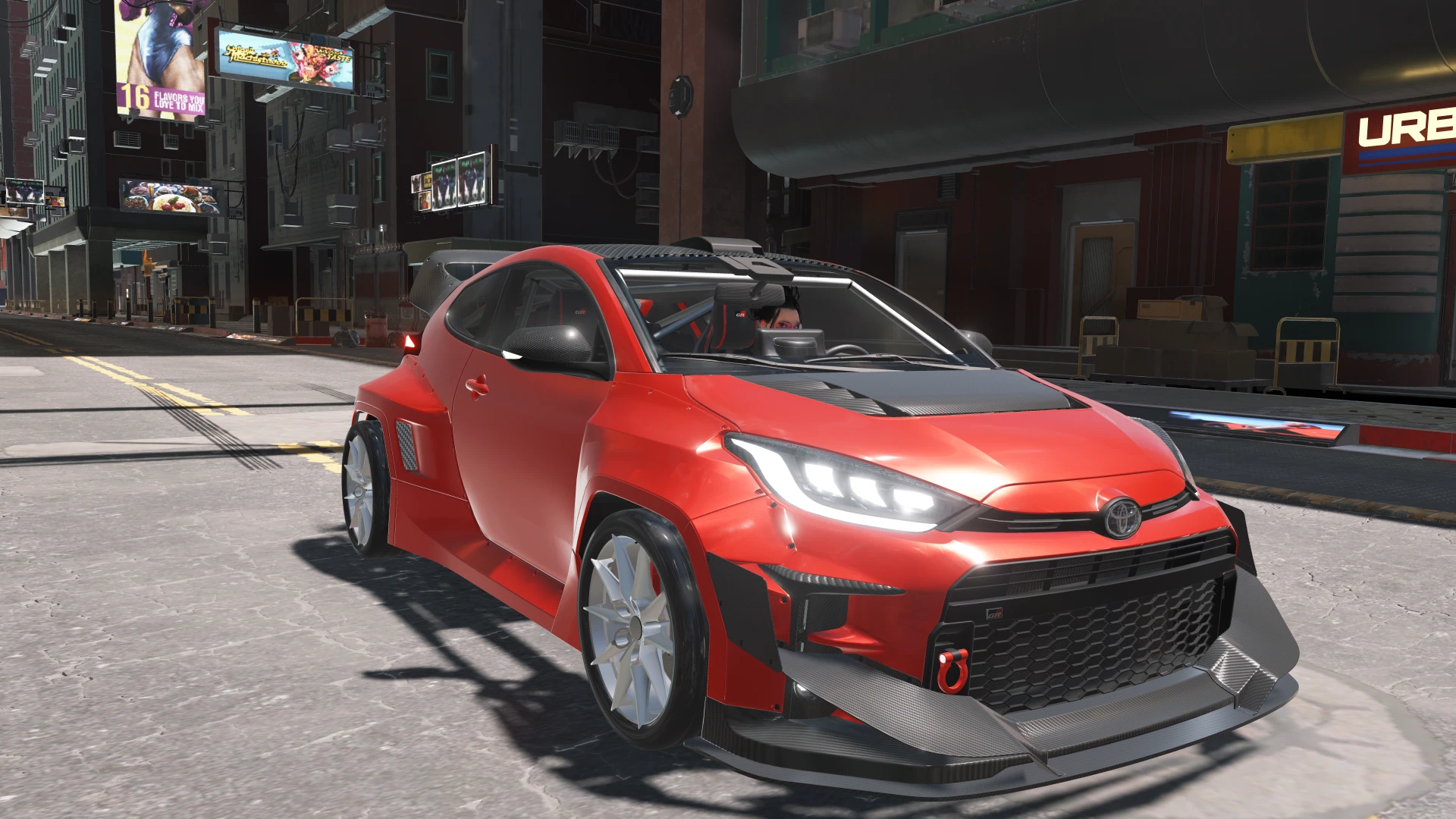
Rocket Bunny GR Yaris w Crystalcoat
A fully drivable Toyota GR Yaris: working cockpit, AWD handling that grips or drifts, CrystalCoat paint, and new in V3 an optional Rocket Bunny widebody kit (fenders, splitter, diffuser, carbon GT wing and hood) you can switch on or off by renaming one file. A standalone car that replaces nothing.
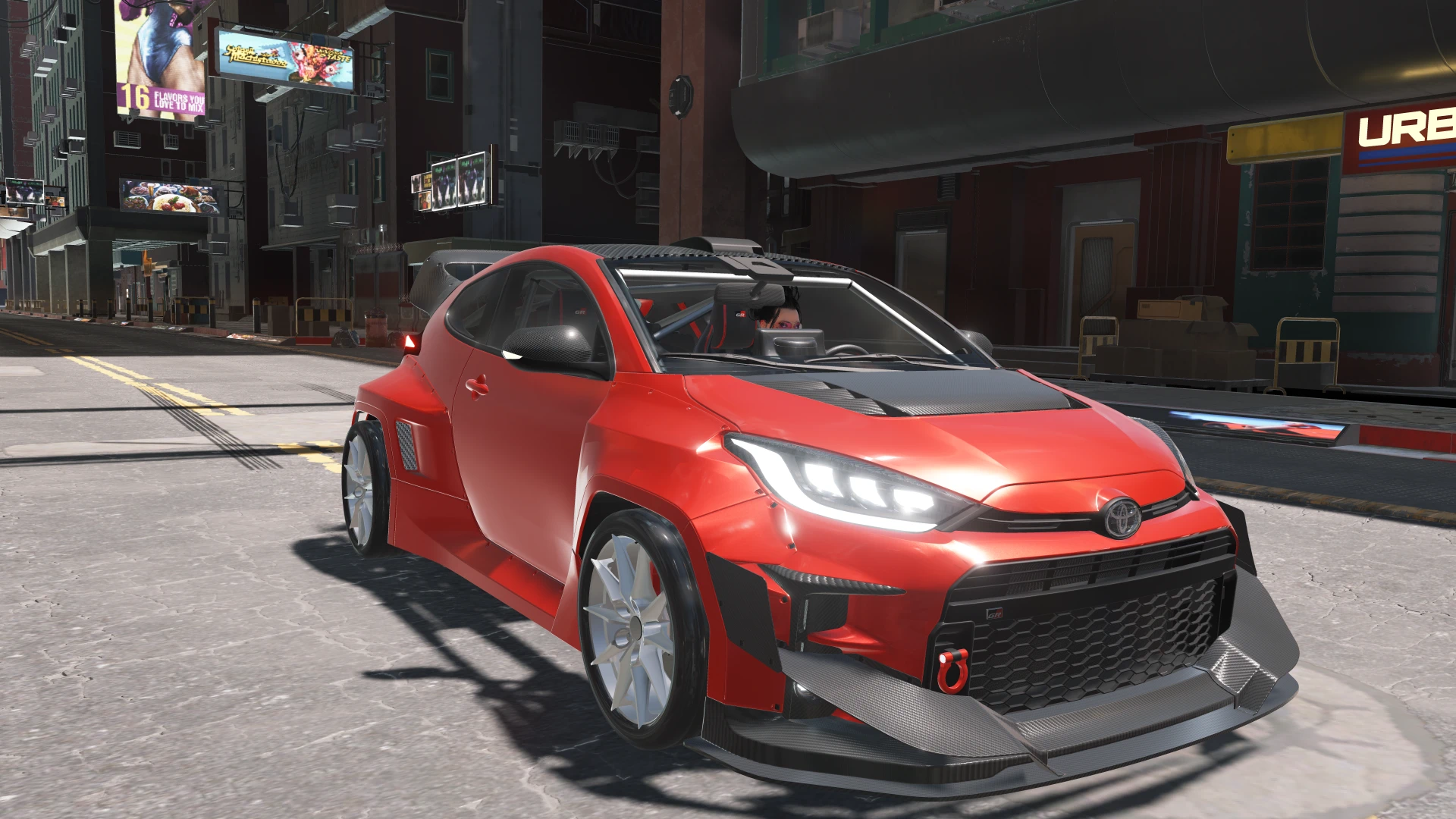 查看大图
[b]Description[/b]
Add a fully drivable Toyota GR Yaris to your garage. This is a brand-new standalone car that replaces nothing in the base game.
Hot-hatch looks, a working cockpit and AWD handling that grips through corners and swings the tail out when you want to drift, do donuts or yank the handbrake. Pick your own paint and rim colours with CrystalCoat.
New in V3: an optional Rocket Bunny widebody kit. Wide fenders, a front splitter, a rear diffuser, a carbon GT wing and a carbon vented hood turn it into a proper track-day car. It is a separate optional download, so you can install it, disable it or remove it whenever you like (steps below).
[b]What's new in V3[/b]
* Rocket Bunny widebody kit (optional, separate download): wide front and rear fenders with side vents, side skirts, a front bumper with splitter, canards, GR grille and red tow hook, a rear bumper with diffuser, twin exhaust tips, a carbon GT wing, a carbon hood insert with open vents, a roof scoop and a shark fin.
* A wider track, so the tyres sit flush under the new arches.
* The kit is its own file: install, disable or remove it from your mod manager or by hand. The main file is just the car, and no extra text files are copied into your game folder.
* Carbon parts use a new, cleaner carbon finish. The kit's rear bumper is smooth-shaded and the front splitter and rear diffuser main plates are carbon.
[b]Main features[/b]
* Detailed GR Yaris body with opening doors, hood and trunk, plus shadows and collision.
* Optional Rocket Bunny widebody kit.
* CrystalCoat paint: change body colour and rim colour independently in the in-game customization menu.
* Interior:
* Working tachometer, mph speedometer, gear display and a centre screen with the GR logo.
* Working navigation screen.
* Backlit interior symbols and start button.
* Steering wheel that turns, with V's hands on the rim in first person.
* Leather and fabric seats, matte plastics and interior lights.
* Full lighting: headlights, DRLs, fog lights, tail, brake and reverse lights, and turn signals.
* Twin blue backfire exhaust flames.
* Red GR brake calipers and rotors visible through the rims, plus custom wheels and tyres.
* Detailed engine bay, GR badges, and a proper name and description in the game.
* AWD handling tuned around the real GR Yaris: balance, weight distribution and suspension.
[b]Installation instructions[/b]
1. Install the requirements below first.
2. Download the main file and extract it into your Cyberpunk 2077 folder, or install it with your mod manager. The folders inside are already set up:
* archive/pc/mod/Toyota_Yaris_GR.archive
* archive/pc/mod/Toyota_Yaris_GR.xl
* r6/tweaks/toyota_gr_yaris/toyota_gr_yaris.yaml
3. Optional widebody kit: download "Rocket Bunny Widebody Kit" from the Files tab and install it the same way. It is one file, archive/pc/mod/00_Toyota_Yaris_GR_RocketBunny.archive, and it needs the main file.
4. Launch the game.
Updating from an older version: install the new main file over the old files and overwrite. If you use the widebody kit, install the new kit file too (it replaces the old one). The kit is built for this exact version of the car, so always use the kit and car files from the same version. The first V3 download had the kit inside the main file; it is now its own download.
Turn the widebody kit off: close the game, then disable it in your mod manager. By hand, rename archive/pc/mod/00_Toyota_Yaris_GR_RocketBunny.archive to 00_Toyota_Yaris_GR_RocketBunny.archive.disabled (or delete it). Rename it back to turn it on again. Keep the 00_ at the start of the name: the kit has to load before the car file, and the game loads files in alphabetical order.
To get the car, buy it from Virtual Car Dealer (28,000 eddies). Or unlock it with the Cyber Engine Tweaks console:
<br />Game.GetVehicleSystem():EnablePlayerVehicle('Vehicle.toyota_gr_yaris_purchasable', true, false) <br />
To uninstall, delete the files above (and the kit file if you installed it). Want a different feel? Grip, handbrake strength and drift behaviour are set in the yaml file and are easy to adjust.
[b]Requirements[/b]
* ArchiveXL
* TweakXL
* Each of these has its own requirements (for example RED4ext), which are listed on their pages.
* Virtual Car Dealer, or the console command above, to get the car.
* Tested on Cyberpunk 2077 2.31.
Shout outs
* Boe6, for the vehicle modding guide.
* Yelling Into the Void, for their massive help and advice throughout.
* The Cyberpunk modding Discord server.
正在加载版本记录…
正在加载评论…
评论在新手盒子客户端中发表,这里同步展示。