Fullscreen Browser
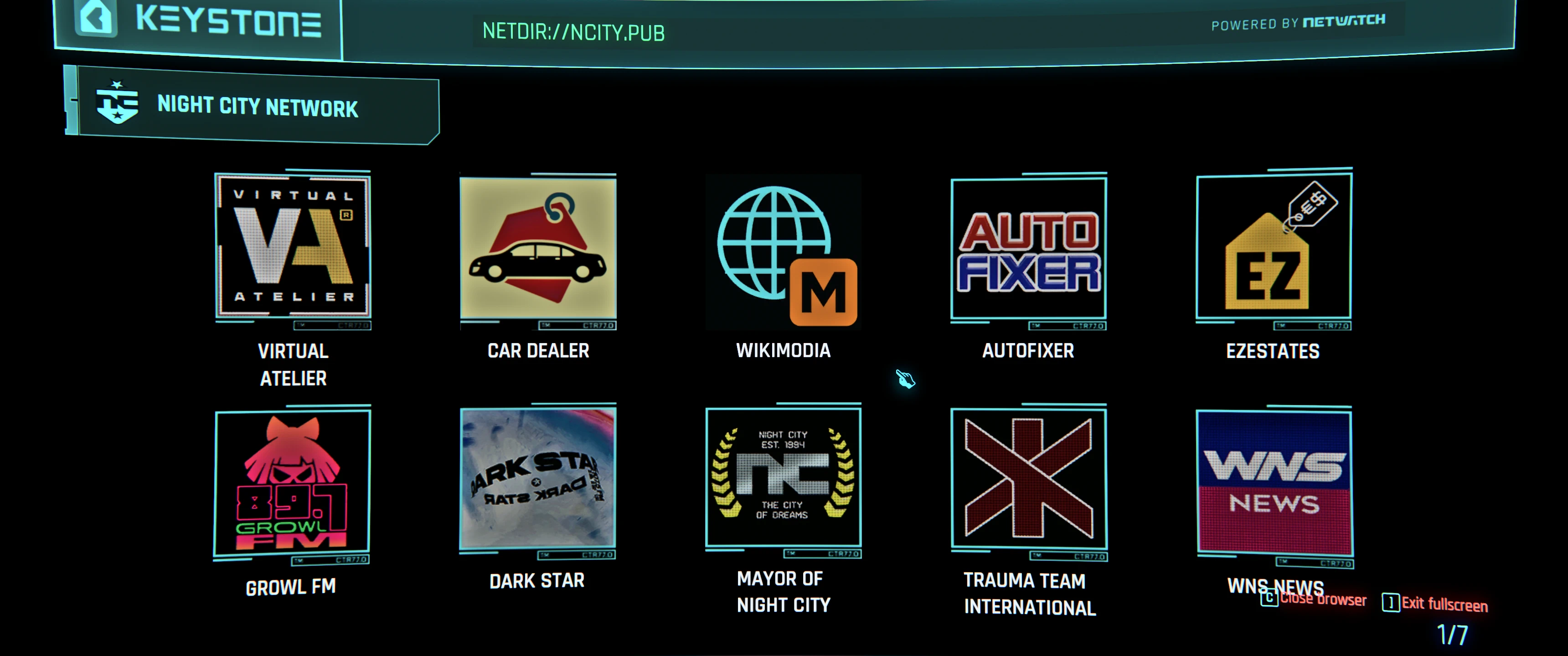
In-game browser too small? Fullscreen it!
 查看大图
[size=6][b]Description[/b][/size]
The in-game browser is drawn onto the computer's monitor, so its text is small and soft. Fullscreen Browser lifts the page off the monitor and shows it across your whole screen instead, drawn directly at your display's resolution, so text is crisp and easy to read.
It is the same live page, not a copy: links, scrolling, loading and modded sites (Virtual Atelier, Virtual Car Dealer and anything else built on Browser Extension Framework) keep working exactly as they do on the monitor. Press the key again or Esc and the page goes back onto the monitor where you left it.
The page zooms in from the middle of the screen when it opens and zooms back out when it closes. Ultrawide screens are supported: the page is scaled to fit and centred, with black around it.
Tested on 2.31.
[size=5][b]Features[/b][/size]
- ] shows the browser of the computer in front of you fullscreen, and back on the monitor. Esc also returns to the monitor.
- C closes the browser and leaves the computer, also straight from fullscreen.
[size=5][b]Requirements[/b][/size]
- [url=https://www.nexusmods.com/cyberpunk2077/mods/7780]Codeware[/url] - required
- [url=(https://www.nexusmods.com/cyberpunk2077/mods/4575]Input Loader[/url] - required
- [url=https://www.nexusmods.com/cyberpunk2077/mods/2380]RED4ext[/url] - required
- [url=https://www.nexusmods.com/cyberpunk2077/mods/1511]redscript[/url] - required
- [url=https://www.nexusmods.com/cyberpunk2077/mods/4885]Mod Settings[/url] - optional
- [url=https://www.nexusmods.com/cyberpunk2077/mods/3518]Native Settings UI[/url] with [url=https://www.nexusmods.com/cyberpunk2077/mods/107]Cyber Engine Tweaks[/url] - optional
- [url=https://www.nexusmods.com/cyberpunk2077/mods/10038)]Browser Extension Framework [/url]- required
[size=5][b]Installation[/b][/size]
- Install with Vortex, Mod Organizer 2 or Amethyst, or extract the zip into the game folder (the folder that contains bin, r6 and archive).
- No setup needed. Walk up to a computer, open NET and press ].
[size=5][b]Settings[/b][/size]
- Fullscreen browser: default ]. Settings > Mods > Fullscreen Browser > Key Bindings (Mod Settings), or Native Settings > Fullscreen Browser.
- Close browser: default C. Same places.
- With both Mod Settings and Native Settings installed, both menus always show the same keys.
- Toggle tooltips for closing the browser when in fullscreen.
[size=4][b]Compatibility[/b][/size]
- Works with sites added through Browser Extension Framework (Virtual Atelier, Virtual Car Dealer and others).
- Computer Anywhere: fullscreen works; C closes the browser and puts the computer away.
- Does not replace any game files or scripts; it only adds to them, so it should combine with other computer and browser mods.
[size=4][b]Uninstall[/b][/size]
- Remove it with your mod manager, or delete the three files it added. Keys you changed stay in Mod Settings' settings file and in a config.json in this mod's Cyber Engine Tweaks folder; they do nothing without the mod.
[size=6][b]Credits[/b][/size]
- Codeware by psiberx (popups, input and UI helpers)
- Input Loader and Mod Settings by jackhumbert
- Native Settings UI by keanuWheeze
- Browser Extension Framework by r457 and gh057
- Cyber Engine Tweaks, RED4ext and redscript teams
正在加载版本记录…
正在加载评论…
评论在新手盒子客户端中发表,这里同步展示。