AiDialogue
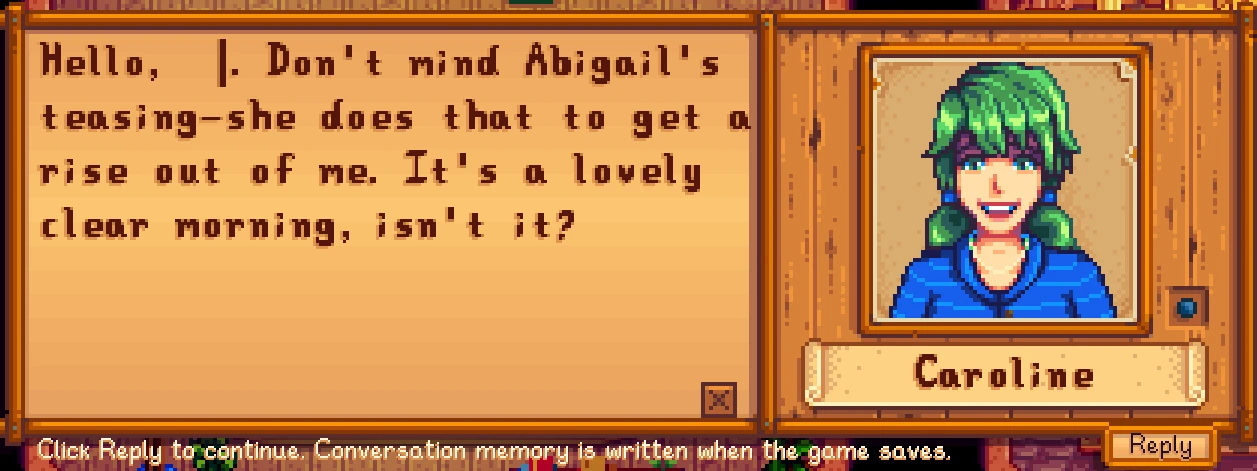
由AI驱动的NPC对话,支持自定义角色、独立记忆、NPC之间聊天、头像表情以及可选的好感度变化。使用游戏原生对话UI。需要SMAPI和你自己的API密钥。头像分类需要支持视觉的模型。
 查看大图
简介
AiDialogue 让你可以在《星露谷物语》中自由输入文字,与 NPC 展开 AI 对话。
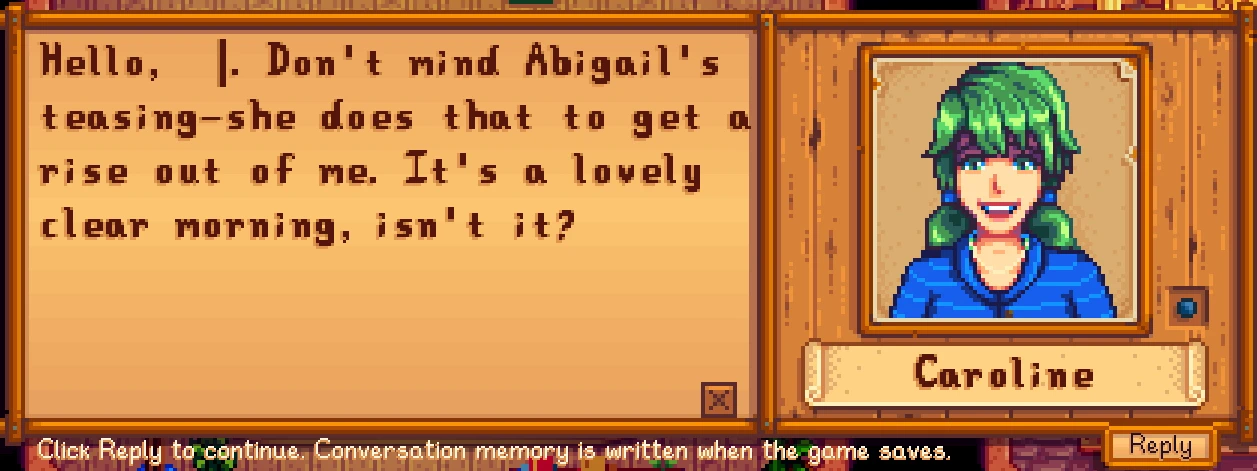
接入 AI 后,NPC 会结合自身人设、已记录的经历、季节天气和当前场景主动开场,并回应你的话题。你可以在熟悉的原版对话框中继续聊天,也可以看到附近的 NPC 通过对话气泡相互交流,让鹈鹕镇的日常多一些变化。
功能介绍
- 自由对话: 空手点击可交谈的 NPC,普通交谈由 AI 主动开场。点击原版对话框下方的“回复”按钮,即可输入自己的回答,继续交流。
- 场景感知: 每次请求重新读取当前地点、时间、天气、人物位置及十格内的附近人物,帮助 NPC 根据当下环境展开话题。
- NPC 自动交流: 开启后,同一地图上符合条件的 NPC 可以在十格范围内发起交谈。双方交替说话,每轮共 2–5 句;正在交流的角色不会被其他 NPC 插入新的对话。
- 独立记忆: 玩家聊天记录按存档、玩家和 NPC 分别保存。默认每 15 个游戏日压缩一次上下文,保留核心信息。也可手动添加永久记忆,并设置 0–1 的重要程度。
- 自定义人设: 可为每个角色填写当前存档或所有存档的人设,调整姓名、背景、性格及说话方式。玩家填写的设定优先,未覆盖的部分由原有资料补充。
- 扩展人物适配: 动态发现采用标准人物数据接口的扩展 NPC,读取其公开台词、生日、性别等资料,通过所选模型归纳独立人设,无需在代码中逐个登记人物。
- 表情变化: 使用支持图片输入的模型,可对 NPC 实际加载的立绘进行情绪分类,并在回复时显示对应表情。不同人物只使用其立绘中实际存在的表情。
- 可选对话好感: 开启后,玩家回答会结合角色性格、背景和语境影响好感。普通变化在 -5 至 +5 之间,明确重大冒犯可有更大扣分;没有每日累计上下限,实际变化会在左下角显示。
- AI 送礼回应: 普通送礼后可生成符合角色与情境的 AI 台词,礼物消耗、喜好判定和游戏奖励仍由游戏处理。
安装方法
所有主要设置均可通过本 Mod 的游戏内配置页修改,无需安装 GMCM。
- 安装 SMAPI。本版本最低要求为 SMAPI 4.5.2。
- 下载公开发布包,将
AiDialogue文件夹放入Stardew Valley/Mods/。 - 通过 SMAPI 启动游戏并进入存档。
- 打开 Esc → 选项 → AI 对话设置。
- 选择服务商,填写自己的 API Key,获取并选择模型。
- 开启“AI 对话”并保存。NPC 自动交流与对话好感可分别开启。
当前已接入 DeepSeek、硅基流动、OpenAI、OpenRouter、Anthropic/Claude、Groq 和 Agnes AI。API Key 和所选模型会保存在本机,下次启动时恢复。
兼容性
本版本已在 Windows、Stardew Valley 1.6.15、SMAPI 4.5.2 环境验证。
支持动态读取 Content Patcher 合并后的标准人物、对话和地图数据。使用扩展内容时,仍需安装该扩展要求的前置 Mod。SVE 的人物资料与地图资产已进行适配测试,完整剧情、解锁流程及特殊代码角色仍需单独验证。
任务问答、商店、发放物品和带回调的剧情交互保留游戏原流程,以免丢失实际游戏效果。
使用扩展人物的台词或立绘进行 AI 处理前,请确认相关作者允许这种使用。当前版本尚未实现按 AI 排除清单自动过滤扩展内容。
常见问题
Q:需要购买 AI 服务吗?
A:需要使用自己的 API Key。是否收费以及具体费用由服务商和模型决定;聊天、人设生成、记忆压缩和立绘分类均可能消耗额度,目前没有统一的每日费用估算。
Q:没有配置 API,还能正常玩游戏吗?
A:可以。未启用 AI 或配置不完整时,普通 NPC 交互使用游戏原有流程。
Q:为什么表情没有变化?
A:立绘分类需要模型支持图片输入,并完成该人物的分类。尚未完成或分类失败时使用默认表情;人物也只能显示实际立绘支持的情绪。
Q:永久记忆会被其他 NPC 知道吗?
A:永久记忆仅用于所属 NPC 的玩家对话。NPC 自动交流不读取玩家私聊或手动永久记忆;公开人设和双方参与过的公开交谈则可用于交流。
Q:支持多人游戏吗?
A:目前主要按单人模式验证。NPC 自动交流可在联机房主当前屏幕运行,气泡尚未向远程客机同步,完整联机兼容性仍需进一步测试。
Q:为什么回答偶尔重复、偏离人设或生成失败?
A:生成效果取决于模型及提供的资料。可补充角色人设、相关永久记忆,或检查模型与接口状态。Mod 无法保证每次回答都不重复或完全符合预期。
数据与隐私
配置、人设和记忆保存在本机 Mod 文件夹。启用 AI 后,对话所需的游戏信息及相关记忆会发送给你选择的服务商;立绘分类还会发送 NPC 图片。
分享 Mod 时请使用公开发布包,避免打包自己正在使用的配置、记忆及日志。
反馈与交流
这是我第一次发布 Mod,最初是和朋友测试时觉得自由聊天很有趣,希望把这份乐趣分享给更多玩家。欢迎反馈问题和改进建议。
下载交流与反馈 QQ 群:1098517417
Introduction
AiDialogue lets you type your own messages and have AI conversations with NPCs in Stardew Valley.
NPCs can respond using their personalities, recorded memories, season, weather and current surroundings. Conversations appear in the game’s original dialogue box, while nearby NPCs can exchange speech bubbles with each other.
Features
- Free-form conversations: Interact with an eligible NPC to receive an AI opening, then click Reply beneath the native dialogue box to type your response.
- Current scene context: Each request captures the actual location, time, weather, positions and nearby characters within ten tiles.
- NPC conversations: Eligible nearby NPCs can take turns speaking in rounds of 2–5 lines. Participants remain reserved until their conversation ends.
- Separate memories: Player conversations are stored separately by save, player and NPC. Context is compressed every 15 in-game days by default. Permanent memories can be added manually with importance weights from 0 to 1.
- Custom personas: Define a character’s name, background, personality and speech style for one save or all saves. Your settings take priority, with existing information filling unspecified details.
- Expanded NPC discovery: Standard modded characters are discovered dynamically. Their public dialogue and metadata can be used to generate separate, evidence-grounded personas.
- Portrait expressions: A model with image-input support can classify the NPC’s actual portraits and select available expressions for replies.
- Optional friendship changes: Player responses can affect friendship according to character and context. Ordinary changes range from -5 to +5; clear major offenses may receive larger penalties. There are no daily cumulative caps, and applied changes appear in a small notification.
- AI gift reactions: Ordinary gifts can receive AI dialogue while the game continues to handle item consumption, gift tastes and rewards.
Installation
The mod includes its own in-game settings page; GMCM is not required.
- Install SMAPI. The minimum required version is 4.5.2.
- Extract the public release’s
AiDialoguefolder intoStardew Valley/Mods/. - Launch through SMAPI and load a save.
- Open Esc → Options → AI Dialogue Settings.
- Choose a provider, enter your own API key, and select a retrieved model.
- Enable AI dialogue and save. NPC conversations and dialogue friendship are separate optional switches.
Currently integrated providers are DeepSeek, SiliconFlow, OpenAI, OpenRouter, Anthropic/Claude, Groq and Agnes AI. Your key and selected model are saved locally.
Compatibility
Verified on Windows, Stardew Valley 1.6.15 and SMAPI 4.5.2.
The mod reads standard character, dialogue and map assets after Content Patcher applies its edits. Expansion prerequisites remain necessary. SVE public character data and map assets have been tested; complete story progression, unlock conditions and custom code characters still require separate verification.
Questions, shops, item grants and scripted callbacks retain their original game behavior.
Please confirm that expansion authors permit AI processing of their dialogue or portraits. Automatic filtering against an AI exclusion list is not currently implemented.
FAQ
Q: How much does it cost?
A: Costs depend on your provider, model and usage. Conversations, persona generation, memory compression and portrait classification can consume API credits. There is no verified universal daily estimate.
Q: Can I play without configuring AI?
A: Yes. When AI is disabled or configuration is incomplete, ordinary NPC interactions follow the existing game flow.
Q: Why do portraits stay unchanged?
A: Classification requires image-input support and a successful result for that NPC. Until then, the default expression is used. Only expressions present in the loaded portrait set are available.
Q: Can other NPCs access permanent memories?
A: Permanent memories belong to their NPC. NPC-to-NPC conversations do not receive player-private chats or manually entered permanent memories. Public personas and conversations involving the participants can be used.
Q: Is multiplayer supported?
A: Verification primarily covers single-player. NPC conversations can run on the host’s current screen, but bubbles are not synchronized to remote clients. Complete multiplayer compatibility remains unverified.
Q: Why can replies repeat or feel out of character?
A: Results depend on the model and supplied context. Custom personas and relevant memories can help, but unique or perfectly accurate responses are not guaranteed.
Data and Privacy
Configuration and memories are stored locally. Enabled features send the necessary context and relevant memories to your selected provider; portrait classification also sends NPC images. Share the public release package rather than your used configuration, memory files or logs.
Feedback
This is my first published mod. I enjoyed testing these conversations with friends and wanted to share the experience. Bug reports and suggestions are welcome.
Download discussion and feedback QQ group: 1098517417
正在加载版本记录…
正在加载评论…
评论在新手盒子客户端中发表,这里同步展示。