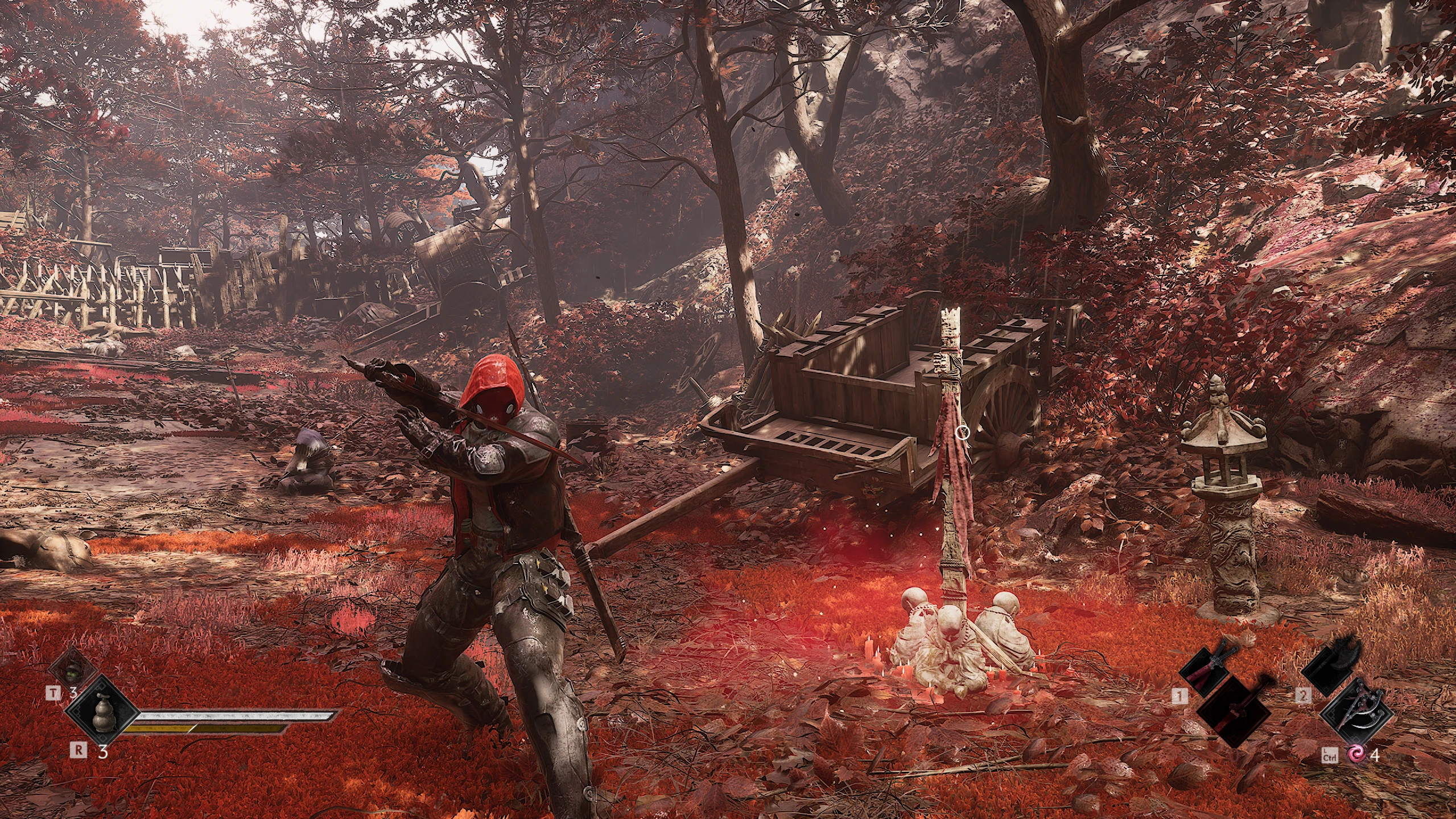
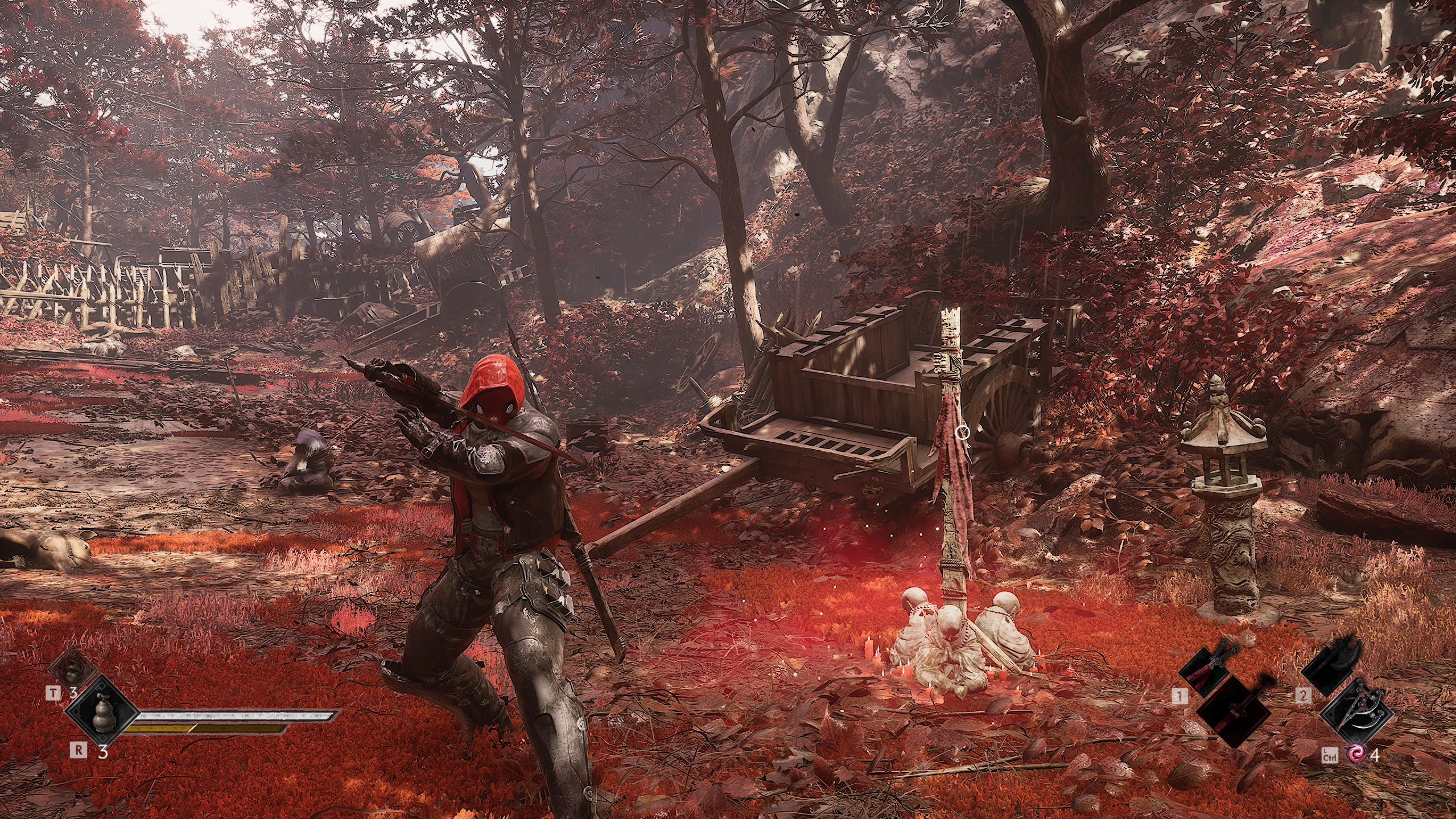
红头罩 PBZ(阿卡姆骑士)
将灵魂替换为红头罩的Arkam Knight模型
 查看大图
[center][size=6][b]Red Hood – 用于 Soul 的角色替换模组[/b][/size]
[i]《Phantom Blade Zero》的角色模组[/i][/center]
[center][/center]
[center][/center]
[center][i][img]https://staticdelivery.nexusmods.com/mods/10614/images/1114/1114-1794507217-1412611851.png[/img][/i][/center]
[center][/center]
[center][/center]
[size=5][b]关于[/b][/size]
此模组将《Phantom Blade Zero》的主角 Soul 替换为《Batman: Arkham Knight》中的 Red Hood。Soul 原本的头发和长袍会被完全隐藏,包括其阴影。
此模组仅更改 [b]Soul 的默认服装[/b]。所有其他服装保持不变。
[size=5][b]前置要求[/b][/size]
[list]
[][b]Phantom Blade Zero[/b](Steam 版本)[/]
[]安装模组前,先启动游戏一次,进入主菜单。[/]
[/list]
UE4SS 已包含在下载文件中。你不需要其他任何东西。
[size=5][b]安装[/b][/size]
[list=1]
[]关闭游戏。[/]
[]右键点击下载的 .rar 文件,选择 [b]解压到此处[/b]。[/]
[]在 Steam 中,右键点击 Phantom Blade Zero,选择 [b]管理 → 浏览本地文件[/b]。这会打开游戏文件夹。你会看到其中的 [font=Courier New]ProjectPBZ[/font] 和 [font=Courier New]platform[/font] 文件夹。[/]
[]在解压后的文件夹中,打开 [font=Courier New]COPY INTO GAME FOLDER[/font]。将其中的两个文件夹([font=Courier New]ProjectPBZ[/font] 和 [font=Courier New]platform[/font])拖入游戏文件夹,直接与游戏自带的 [font=Courier New]ProjectPBZ[/font] 和 [font=Courier New]platform[/font] 文件夹放在一起。Windows 会自动合并它们。[/]
[]如果 Windows 询问是否覆盖现有文件,选择 [b]替换目标中的文件[/b]。[/]
[]启动游戏。穿上 [b]Soul 的默认服装[/b] 并摘掉帽子。[/]
[/list]
[b]检查:[/b] 如果成功,游戏文件夹中现在会有以下两项:
[list]
[][font=Courier New]ProjectPBZ\Content\Paks\~mods\pakchunk100-Windows_P.pak[/font][/]
[][font=Courier New]platform\steam\ue4ss\Mods\SoulHairHide[/font][/]
[/list]
[size=4][b]已经在为其他模组使用 UE4SS?[/b][/size]
不要复制整个 [font=Courier New]platform[/font] 文件夹,因为这会覆盖你的 UE4SS 设置。只复制以下两项:
[list]
[][font=Courier New]ProjectPBZ[/font] → 复制到游戏文件夹[/]
[][font=Courier New]platform\steam\ue4ss\Mods\SoulHairHide[/font] → 复制到你游戏的 [font=Courier New]platform\steam\ue4ss\Mods\[/font][/]
[/list]
[size=5][b]兼容性[/b][/size]
[list]
[][b]其他角色模组:[/b]Red Hood 会替换我的其他 Soul 角色模组(Yuta、Toji、Sasuke、Levi、Kratos),它们也会替换它。一次只能安装一个。要切换,用同样的方式安装另一个并选择 [b]替换[/b]。[/]
[][b]Blades of Chaos:[/b]我的 Blades of Chaos 武器模组可以叠加安装。它使用自己的文件,因此安装或移除它都不会影响 Red Hood。[/]
[/list]
[size=5][b]卸载[/b][/size]
在游戏文件夹中,删除:
[list]
[][font=Courier New]ProjectPBZ\Content\Paks\~mods\pakchunk100-Windows_P.pak[/font][/]
[][font=Courier New]ProjectPBZ\Content\Paks\~mods\pakchunk100-Windows_P.ucas[/font][/]
[][font=Courier New]ProjectPBZ\Content\Paks\~mods\pakchunk100-Windows_P.utoc[/font][/]
[]文件夹 [font=Courier New]platform\steam\ue4ss\Mods\SoulHairHide[/font][/]
[/list]
[size=5][b]故障排除[/b][/size]
[list]
[][b]Soul 看起来没有变化:[/b]确保三个 [font=Courier New]pakchunk100-Windows_P[/font] 文件位于 [font=Courier New]ProjectPBZ\Content\Paks\~mods\[/font] 中,并确认 Soul 穿着他的默认服装。[/]
[][b]Soul 原来的头发或长袍仍然显示:[/b]重启游戏一次。如果仍然存在,检查 [font=Courier New]dwmapi.dll[/font] 是否位于游戏文件夹中的 [font=Courier New]platform\steam\[/font]。[/]
[][b]关于缺少 DLL 的错误[/b](例如 [font=Courier New]VCRUNTIME140[/font]):从 Microsoft 安装免费的 [b]Microsoft Visual C++ Redistributable 2015–2022 (x64)[/b]。[/]
[][b]游戏更新后崩溃:[/b]按上述方式卸载模组,游戏将恢复正常运行。请回来此处查看更新版本。[/]
[/list]
[size=5][b]致谢[/b][/size]
[list]
[]Red Hood 模型来自 [b]Batman: Arkham Knight[/b],由 Rocksteady Studios / WB Games 制作[/]
[]UE4SS 团队,提供脚本框架[/]
[/list]

正在加载版本记录…
正在加载评论…
评论在新手盒子客户端中发表,这里同步展示。