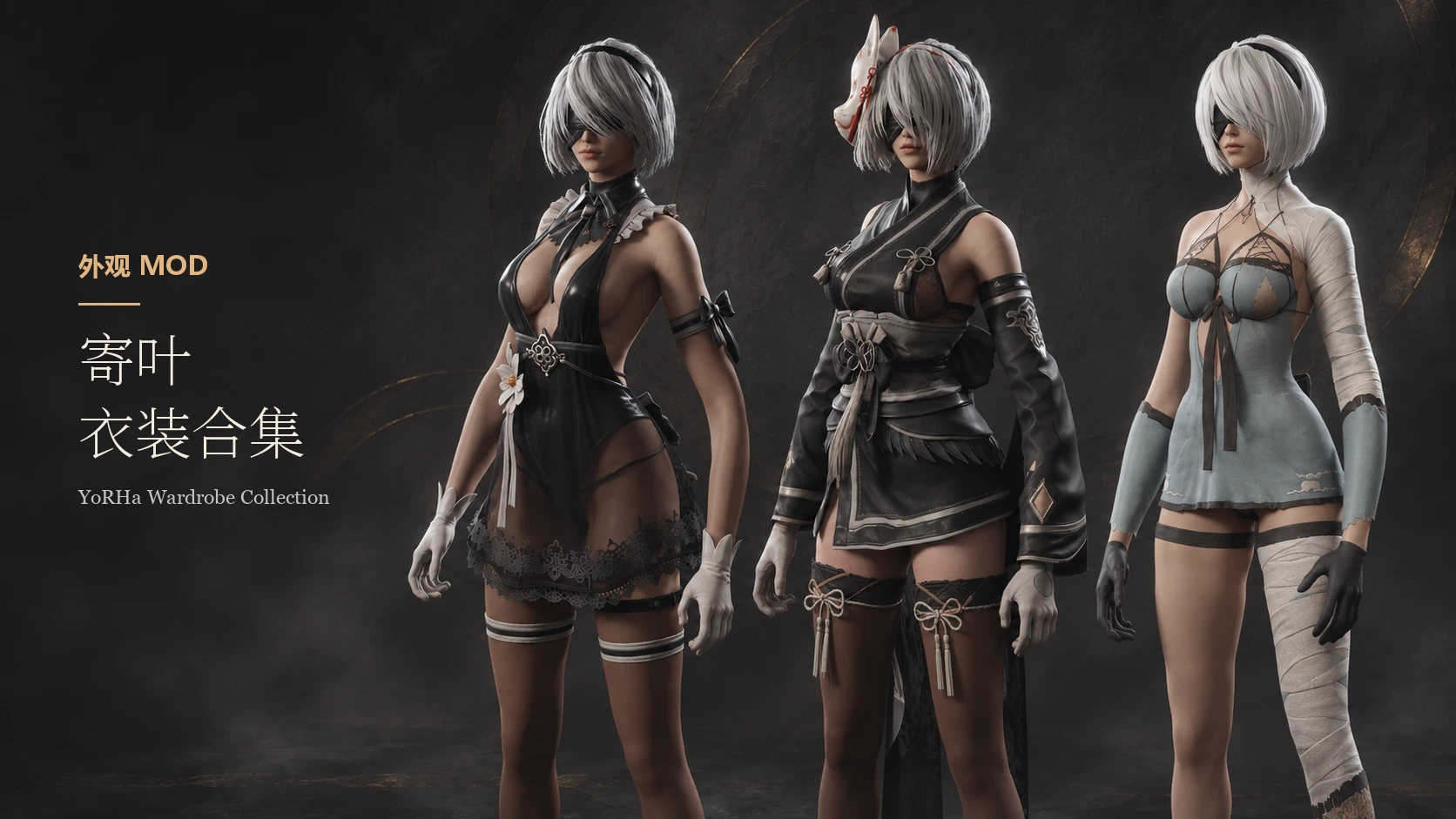
寄叶部队衣橱收藏
寄叶衣装合集 YoRHa Wardrobe Collection
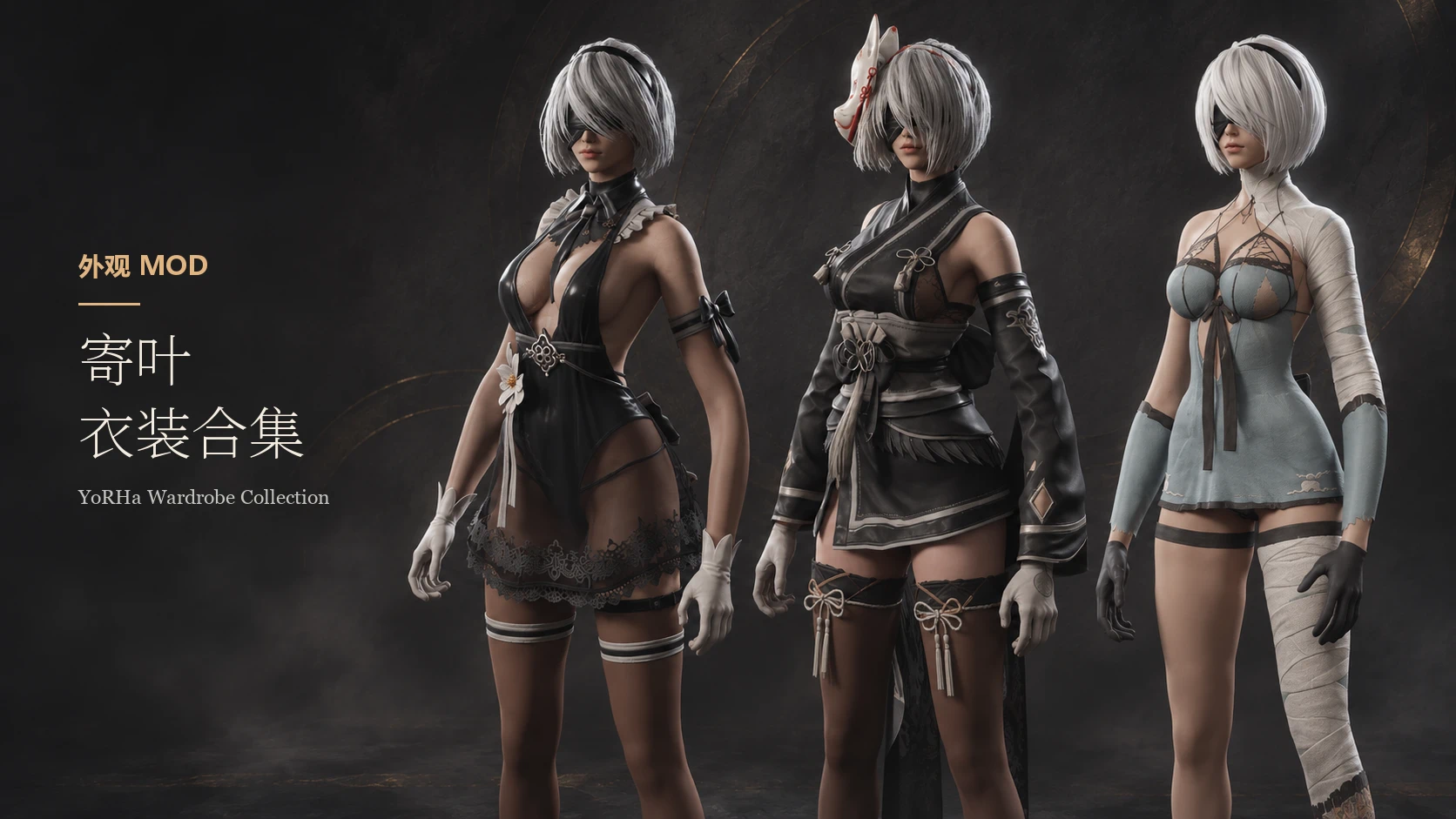 查看大图
寄叶衣装合集 · YoRHa Wardrobe Collection
三套独立衣装:寄叶非正式礼仪着装、寄叶制服1、暴露装束(凯妮)。安装后在「角色 → 外观」选择衣装。
安装指引与下载选择
- 三套都装:只下载 Main Files 中的全套主包。它已经包含三件衣装和三衣装合表。
- 只装一套:在 Optional Files 下载对应的单件包。每个单件包自带自己的衣装表。
- 装任意两套:先安装两件对应的单件包,再安装下表中与这两件匹配的合表补丁。合表补丁只包含衣装登记表,不包含衣装资源。
双衣装合表补丁
| 已安装的两件衣装 | 下载文件 |
|---|---|
| 礼仪 + 制服1 | YoRHaCeremonialAttireAndUniform1Table-1.0.0.zip |
| 礼仪 + 凯妮 | YoRHaCeremonialAttireAndKaineTable-1.0.0.zip |
| 制服1 + 凯妮 | YoRHaUniform1AndKaineTable-1.0.0.zip |
三个补丁 ZIP 的内容不同,但内部目录和文件名相同:
ProjectPBZ/
└── Content/
    └── Paks/
        └── ~mods/
            ├── YoRHaDlcAttire_WardrobeMerge_12000_P.pak
            ├── YoRHaDlcAttire_WardrobeMerge_12000_P.utoc
            └── YoRHaDlcAttire_WardrobeMerge_12000_P.ucas
在 ModBox 中只启用与当前两件衣装匹配的补丁。手动安装时,将补丁 ZIP 解压到 Steam 游戏根目录 PBZ,让三个文件一起落在 PBZ/ProjectPBZ/Content/Paks/~mods/。换组合时停用旧补丁;手动安装的玩家用新补丁的三个文件成套替换旧文件。
单件或全套 ZIP 可导入 ModBox,也可保持 ZIP 内的目录结构解压到 PBZ。从全套切到选装时,先停用全套;已经穿着要卸载的衣装时,先换回原版衣装并保存。
主要功能
- 裙摆、飘带、头发等都有正常物理效果。
- 寄叶非正式礼仪着装:可分别显示或隐藏眼罩、袖子、手套、束带、花饰、缎带、领带等部件,也可单独调整胸部衣料和裙摆的透明度。(存在全脱全穿这类的表现)

- 寄叶制服1:可显示或隐藏眼罩、裙摆、长袜,以及成组的长袖和手套;袖口可在垂坠长布与收口袖管之间切换。

- 丝袜材质与丹数:两套衣装都保留原样,可切换「薄纱黑丝」或「纤维黑丝」。两款黑丝均可用 5–120D 滑条调节深浅:低丹数更透肤,高丹数更深、更厚实。礼仪着装的手臂和双腿共用设置,制服1仅调整双腿。
依赖 - 务必安装依赖否则无法正常使用
衣装解锁和初始化需要适配游戏版本的 UE4SS 。礼仪和制服的差分设置需要 Mods Menu 主文件,以及同一发布页「文件(Files)→ 可选文件(Optional Files)」下的 Mods Menu - UE4SS Bridge。Bridge 不包含在 Mods Menu 主文件里,请单独下载并启用。
务必安装依赖否则无法正常使用, 发布页面无法正常设置依赖说明。

原模型来源
- 寄叶非正式礼仪着装、寄叶制服1:来自《剑星》(Stellar Blade)。
- 暴露装束(凯妮):来自《尼尔:自动人形》(NieR:Automata)。
发型的骨骼和性能处理参考了 2B替换
English
Three standalone outfits: YoRHa Unofficial Ceremonial Attire, YoRHa Uniform 1, and Revealing Outfit (Kainé). Select them under Character → Appearance after installation.
Which files to download
- All three: Download only the collection under Main Files. It includes all three outfits and their merged outfit table.
- One outfit: Download the matching standalone archive under Optional Files. It includes its own outfit table.
- Any two: Install both standalone outfits first, then install the merge patch for that exact pair from the table below. The merge patch contains the outfit table only; the standalone archives provide the outfit assets.
Two-outfit merge patches
| Installed outfits | Download |
|---|---|
| Ceremonial Attire + Uniform 1 | YoRHaCeremonialAttireAndUniform1Table-1.0.0.zip |
| Ceremonial Attire + Kainé | YoRHaCeremonialAttireAndKaineTable-1.0.0.zip |
| Uniform 1 + Kainé | YoRHaUniform1AndKaineTable-1.0.0.zip |
The three patches contain different tables but use the same paths and filenames inside each ZIP:
ProjectPBZ/
└── Content/
    └── Paks/
        └── ~mods/
            ├── YoRHaDlcAttire_WardrobeMerge_12000_P.pak
            ├── YoRHaDlcAttire_WardrobeMerge_12000_P.utoc
            └── YoRHaDlcAttire_WardrobeMerge_12000_P.ucas
In ModBox, enable only the patch matching your two installed outfits. For manual installation, extract the patch ZIP to the Steam game's PBZ root so that all three files land in PBZ/ProjectPBZ/Content/Paks/~mods/. When changing pairs, disable the old patch in ModBox or replace all three old files together if you installed manually.
Import standalone or collection ZIPs into ModBox, or extract them to PBZ with their folder structure intact. Disable the collection before switching to standalone files. Before removing an outfit your character is wearing, switch to a vanilla outfit and save.
Main features
- YoRHa Unofficial Ceremonial Attire: Toggle the blindfold, sleeves, gloves, straps, flower ornament, ribbons, tie, and other details individually. Adjust the bodice fabric and skirt opacity separately.
- YoRHa Uniform 1: Toggle the blindfold, skirt, and stockings individually, and the sleeves and gloves as a set. Switch between long draped cuffs and fitted cuffs.
- Stocking styles and denier: Keep the original finish or choose Sheer Black or Woven Black. Both black styles have a 5–120D slider, from lighter coverage that shows more skin to a darker, denser look. The setting covers the arms and legs on Ceremonial Attire and the legs on Uniform 1.
Requirements: A compatible UE4SS is required for outfit unlock and initialization. Customization for Ceremonial Attire and Uniform 1 requires the Mods Menu main file and Mods Menu - UE4SS Bridge, listed under Files → Optional Files on the same mod page. Download and enable the Bridge separately; it is not included in the Mods Menu main file.
Original model sources
- YoRHa Unofficial Ceremonial Attire and YoRHa Uniform 1: Stellar Blade.
- Revealing Outfit (Kainé): NieR:Automata.
Hair Reference: 2B Replace
正在加载版本记录…
正在加载评论…
评论在新手盒子客户端中发表,这里同步展示。