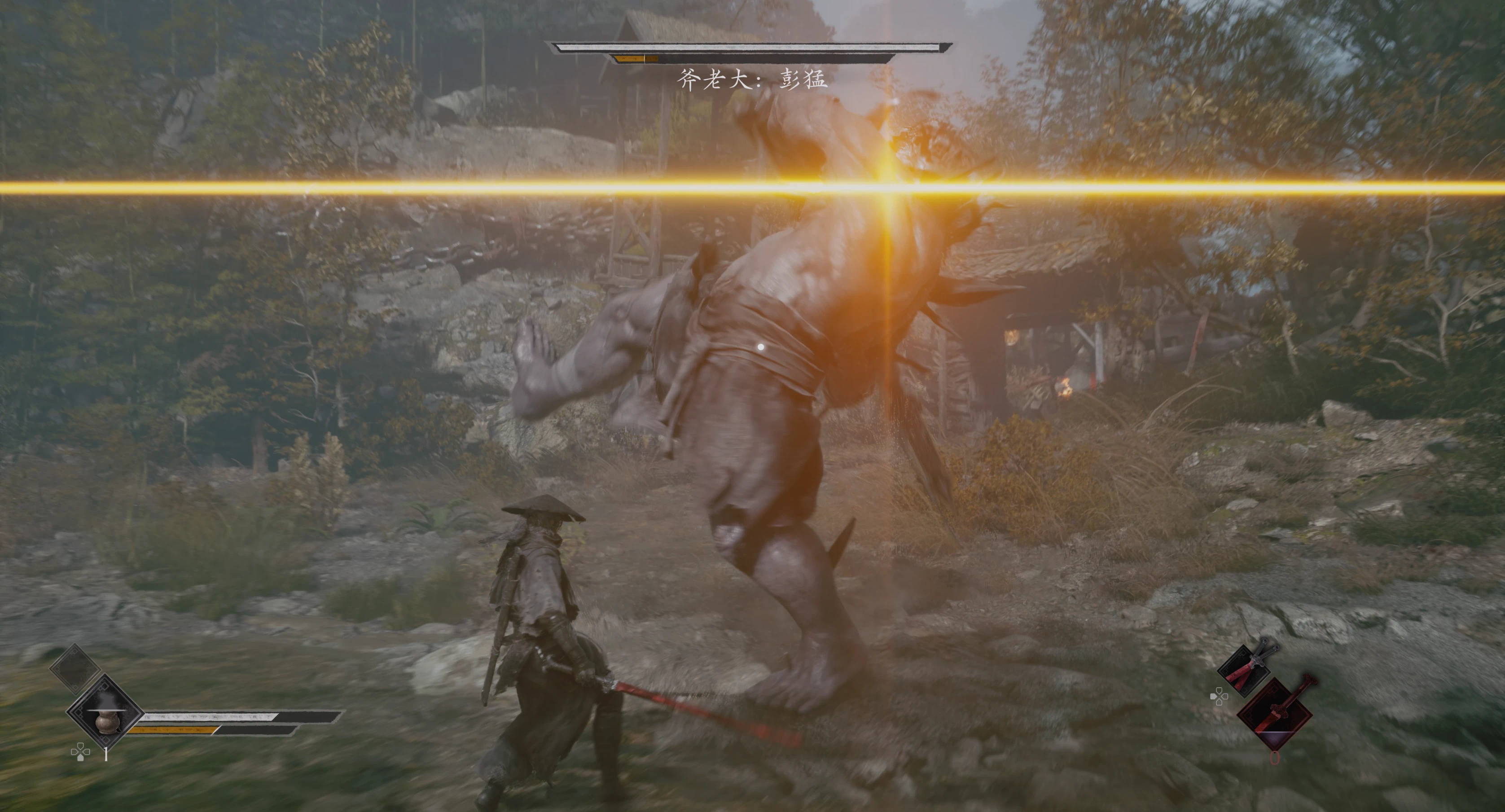
ZZZ风格攻击警报
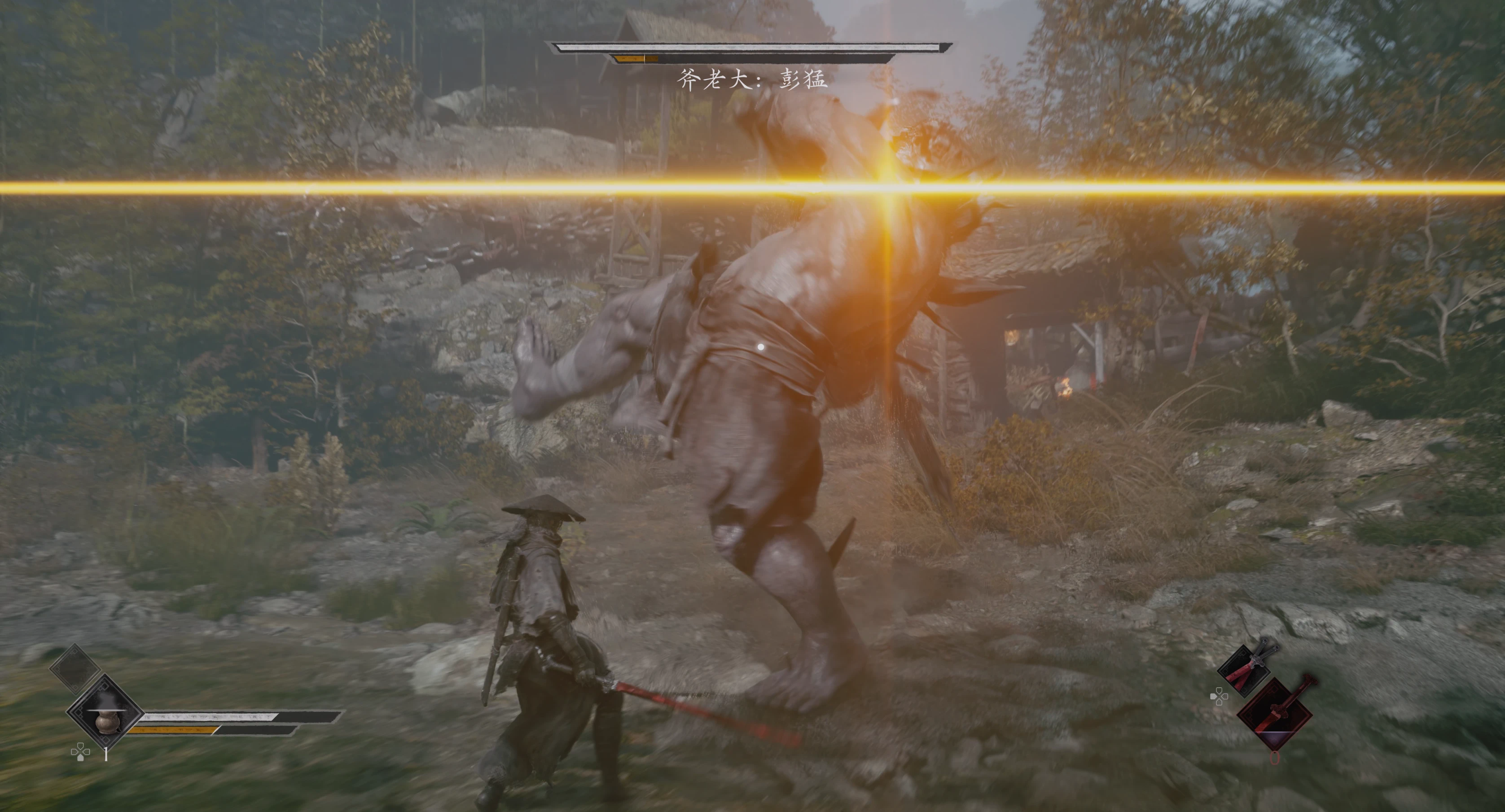
将敌人的蓝色攻击警告转变为明亮的金色十字,与ZZZ相同。
 查看大图
ZZZ-Inspired Golden Cross Attack Alerts — v1.0
描述
参考《绝区零》的黄色十字预警风格,将《影之刃零》的通用蓝光攻击预警改为更醒目的金黄色十字,并搭配增强的攻击提示音。 Inspired by the yellow cross-shaped warnings in Zenless Zone Zero, this mod replaces standard blue attack warnings in Phantom Blade Zero with prominent golden-yellow crosses and enhanced warning sounds.
安装
下载并完整解压压缩包到一个可写文件夹。
完全退出游戏。
双击运行 Install.cmd。
在弹出的窗口中选择游戏安装目录里的 PBZ.exe。
等待文件还原、校验和安装完成,然后重新启动游戏。
Download and fully extract the archive into a writable folder.
Close the game completely.
Run Install.cmd.
Select PBZ.exe from your game installation when prompted.
Wait for reconstruction, verification and installation to finish, then launch the game.
安装器会自动识别游戏目录。PBZ.exe 位于 platform\steam 或 steam 等子目录中也可以选择。 The installer automatically detects the game folder, including when PBZ.exe is located inside a platform\steam or steam subfolder.
备份与卸载
已有的同名MOD文件会自动备份到游戏根目录的 ModBackups 文件夹。 卸载前请退出游戏,然后从 ProjectPBZ\Content\Paksmods 中移除以下三个文件;如需恢复旧版,将对应备份中的三份文件还原到该目录。 Existing mod files with the same names are automatically backed up to ModBackups in the game folder. To uninstall, close the game and remove the following files from ProjectPBZ\Content\Paksmods. To restore a previous version, copy its three backed-up files into that folder. zz_PBZ_YellowAlert_P.pak zz_PBZ_YellowAlert_P.utoc zz_PBZ_YellowAlert_P.ucas
致谢
视觉风格参考《绝区零》,攻击预警音素材来自《绝区零》(HoYoverse)。 Visual style inspired by Zenless Zone Zero. Attack warning audio sourced from Zenless Zone Zero (HoYoverse).
https://www.bilibili.com/video/BV1FUxi6qE2x/?vd_source=d2bab8b2c663b8edbc
正在加载版本记录…
正在加载评论…
评论在新手盒子客户端中发表,这里同步展示。